File Storage module
The company's file library in Settings: upload files of up to 25 MB, download them through short-lived secure links and delete what you no longer need.
Key screens
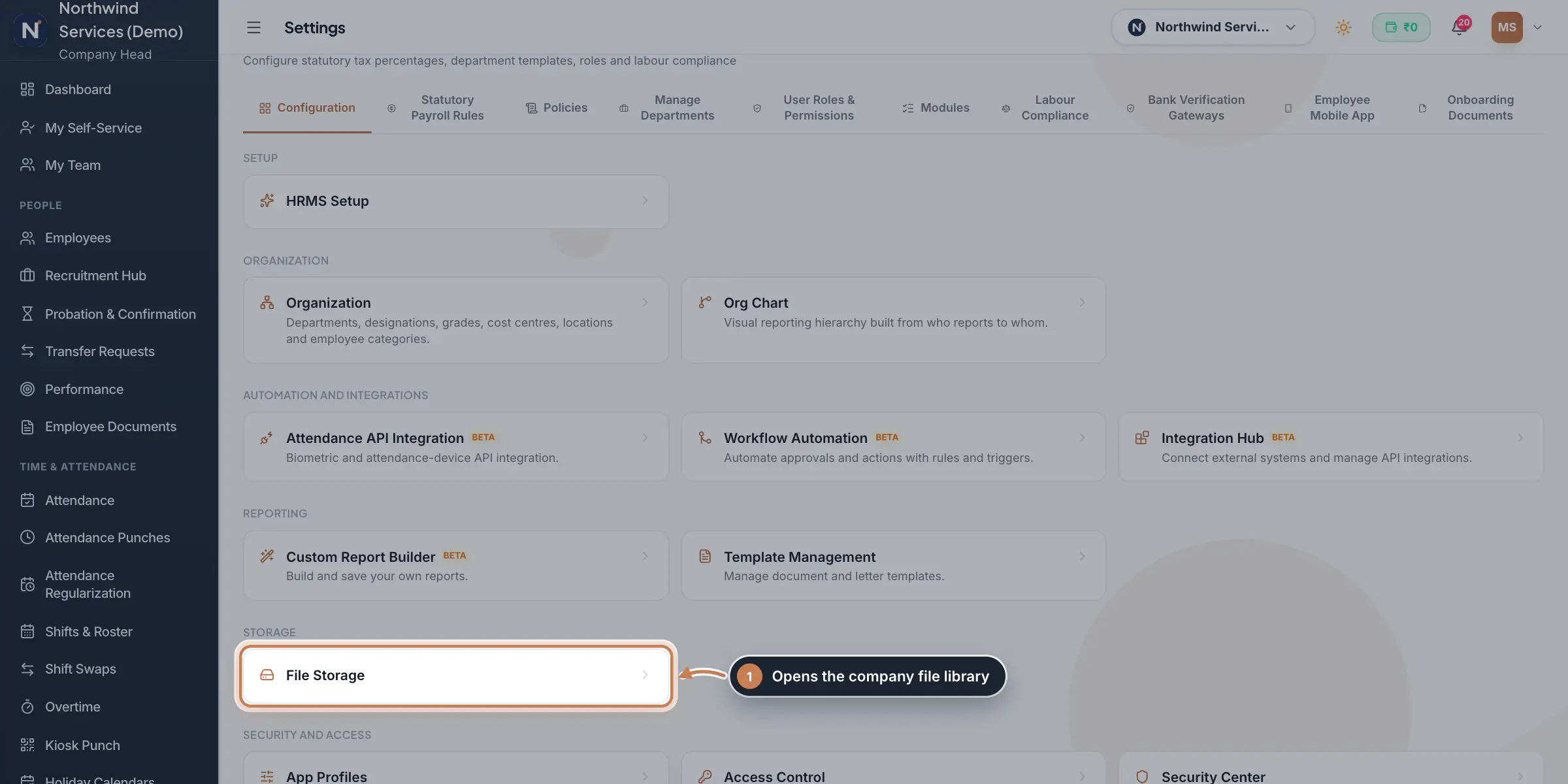
Open File Storage
In the sidebar, click Settings. On the Configuration tab, under Storage, click File Storage.
 Full size
Step 1 Upload and download files
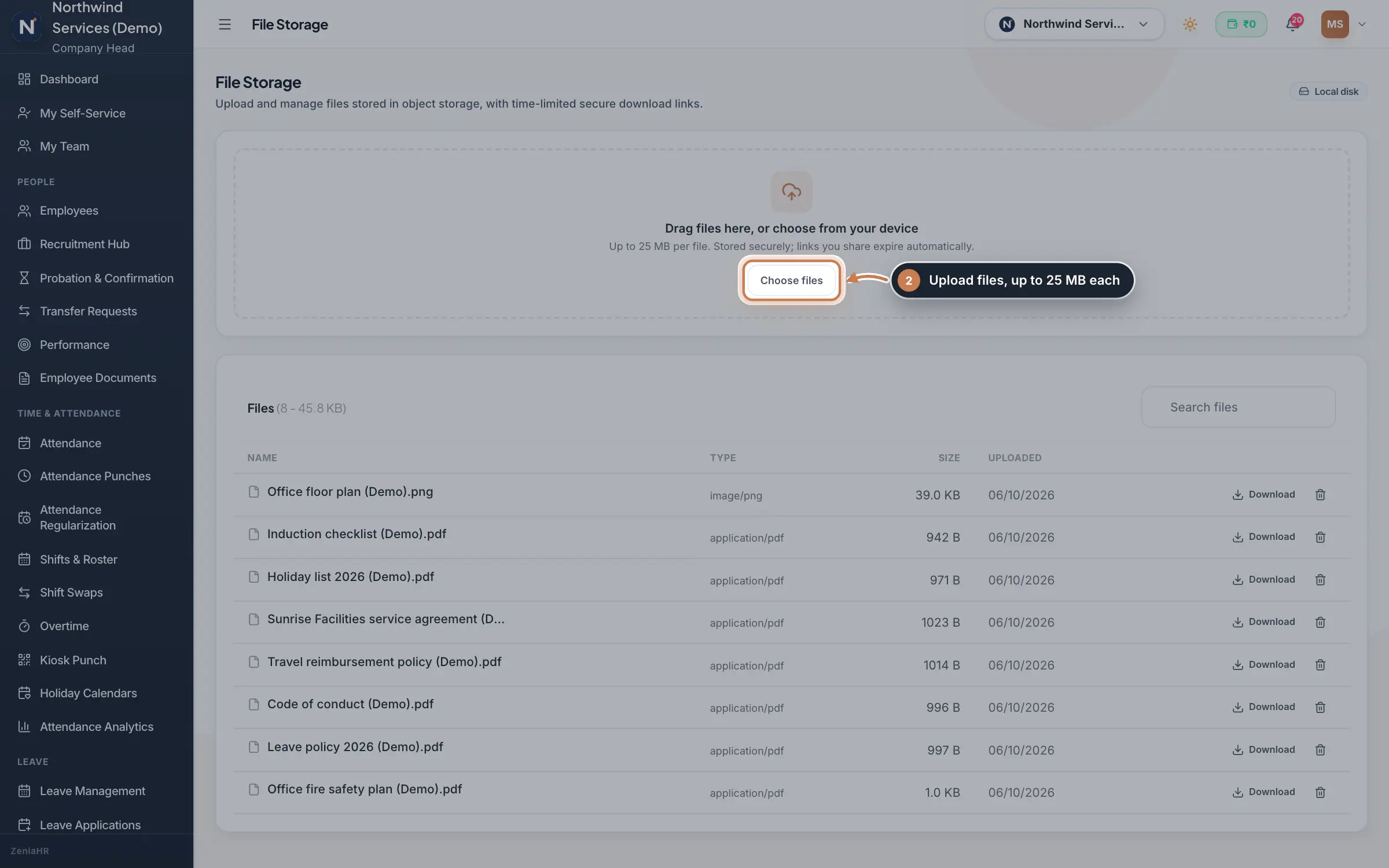
Drag files onto the dashed box, or click Choose files and pick one or more, up to 25 MB each. Each file appears in the list with its name, type, size and upload date. Type part of a name in Search files to find one. Click Download on a row to open the file through a secure link.
 Full size
Step 2 Delete a file
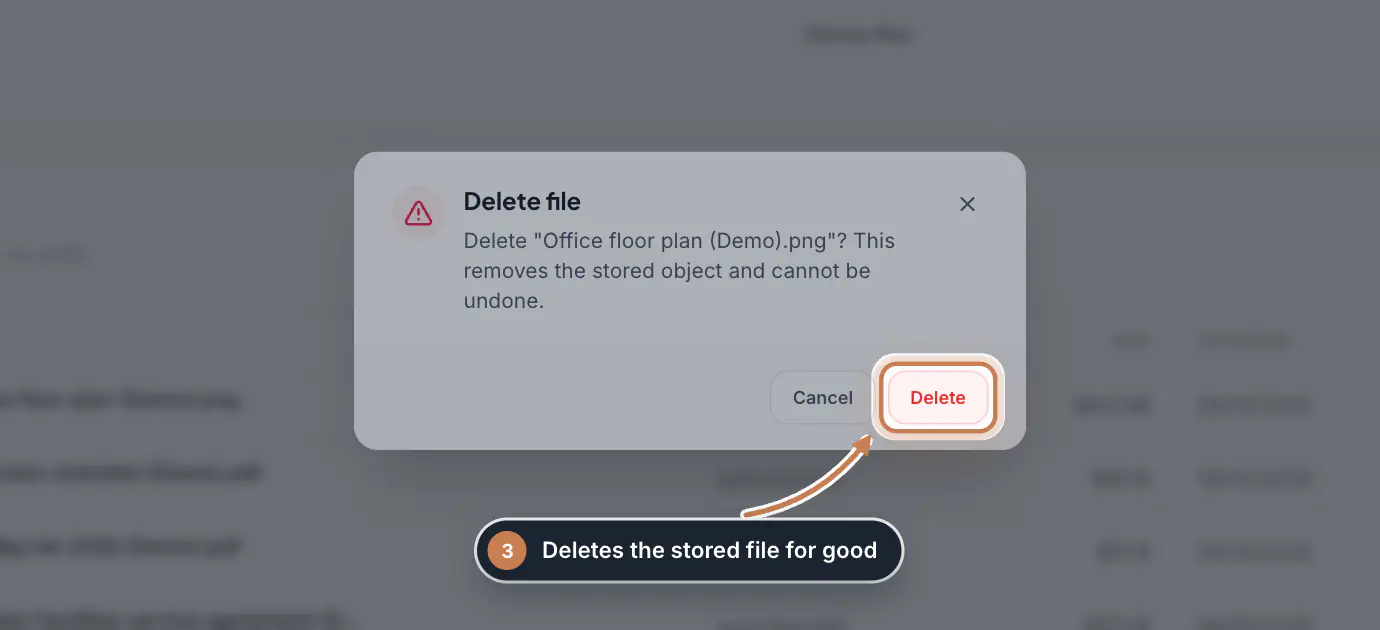
Click the bin on a file's row. ZeniaHR asks first; click Delete to remove the stored file for good, or Cancel to keep it.
 Full size
Step 3 Tip Delete only files you uploaded here. A Document Vault file deleted here still shows in the vault, but its file is gone.
What it does
File Storage is your company's file library. Upload files by dragging them in or choosing them, up to 25 MB each, and download them again whenever you need. Downloads always go through a fresh secure link that works for a short time, so a copied link cannot be passed around for long. The list shows each file's type, size and upload date, with the number of files and the space they use.
Who uses it
- The Company Head and HR. It is a card in Settings, under Storage. Uploading and deleting need permission to edit documents; others with access can only see and download.
How it connects
Files added to the Document Vault are kept in the same storage, so they are listed here too. The badge at the top right shows where your company's files are kept: S3 for cloud storage, or the server's own disk.
Questions
Can I share a download link with someone outside the company?
The download link runs out after a short time, so it is not meant for sharing. To share a file safely, put it in the Document Vault and use Secure Share, which sets the expiry, a download limit and a password.
Is there a size limit?
Yes, each file can be up to 25 MB. Make a bigger file smaller first, for example by saving a scan at a lower resolution.
Related
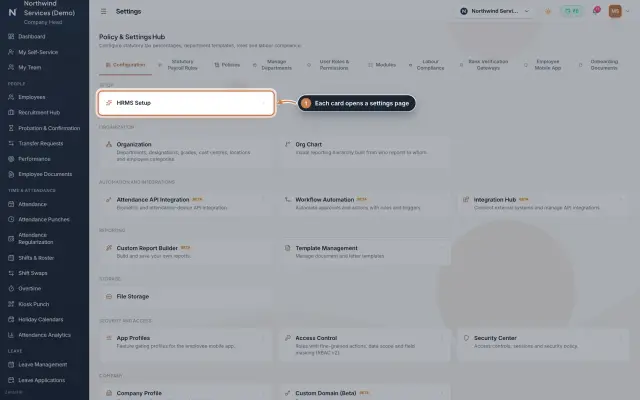 Settings moduleThe Policy & Settings Hub: a card for every settings page, and tabs for statutory rules, policies, departments, user permissions, modules, labour compliance, bank verification, the employee app and onboarding documents.Module
 Document Vault module (Beta)The company's shared folders for papers that belong to no one employee, such as policies, contracts and registers, with secure links that run out.Module
- ZeniaHR for every businessSee how it works on the ZeniaHR website