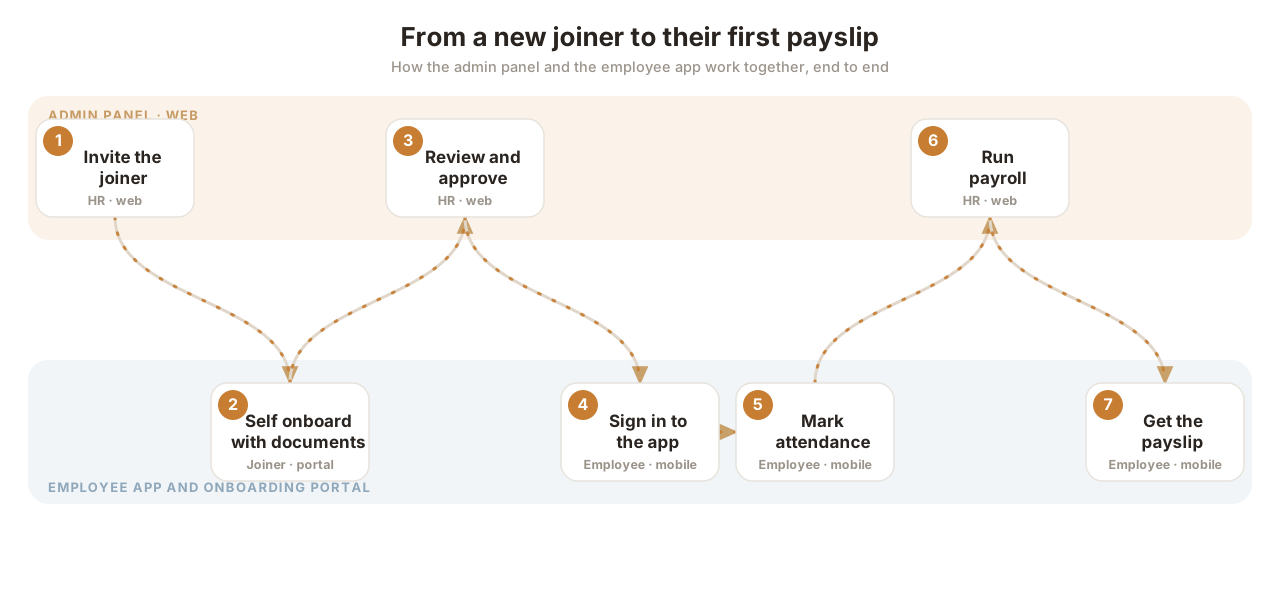
The end to end journey where the admin panel and the employee app work together, from inviting a temporary joiner to their first payslip.
ManpowerUpdated 6 Oct 2026 · 3 min read · v2026.10
The whole journey at a glance
The journey, stage by stage
1
Invite the joiner
HRAdmin panel
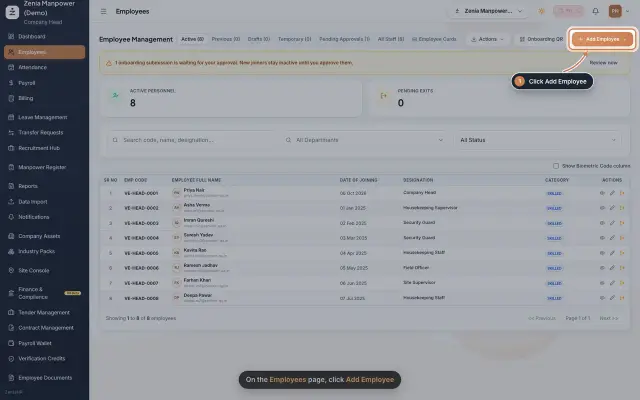
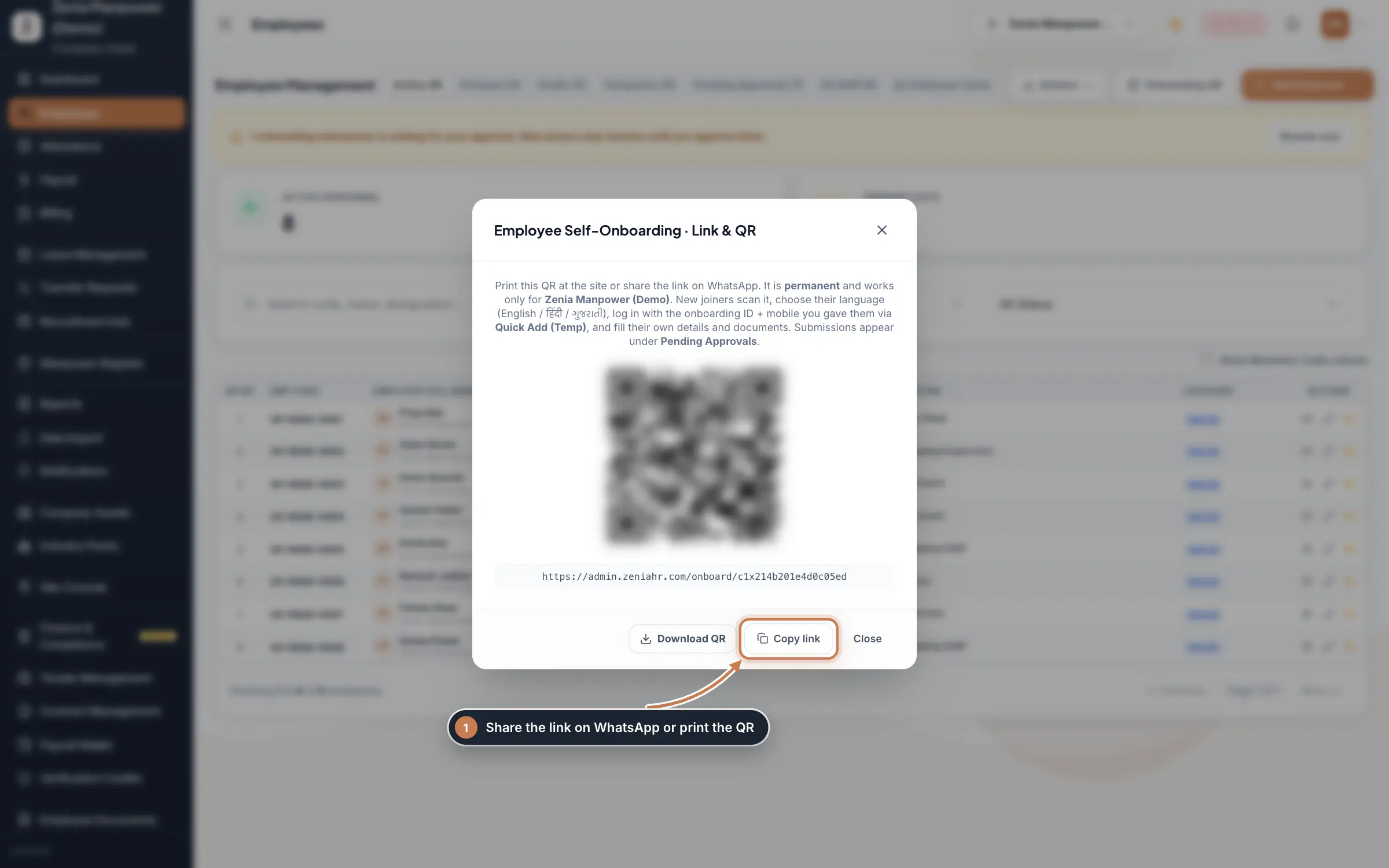
HR adds the new joiner with Quick Add (Temp), giving just a name and mobile number, then shares the self onboarding link or QR from Onboarding QR. The joiner signs in to the portal with the onboarding ID and that mobile number.
On the onboarding portal, the joiner chooses their language, fills in their own personal details and uploads their photo, Aadhaar, PAN and bank proof. When everything required is in, the submission moves itself into HR's Pending Approvals queue.
3
HR reviews and approves
HRAdmin panel
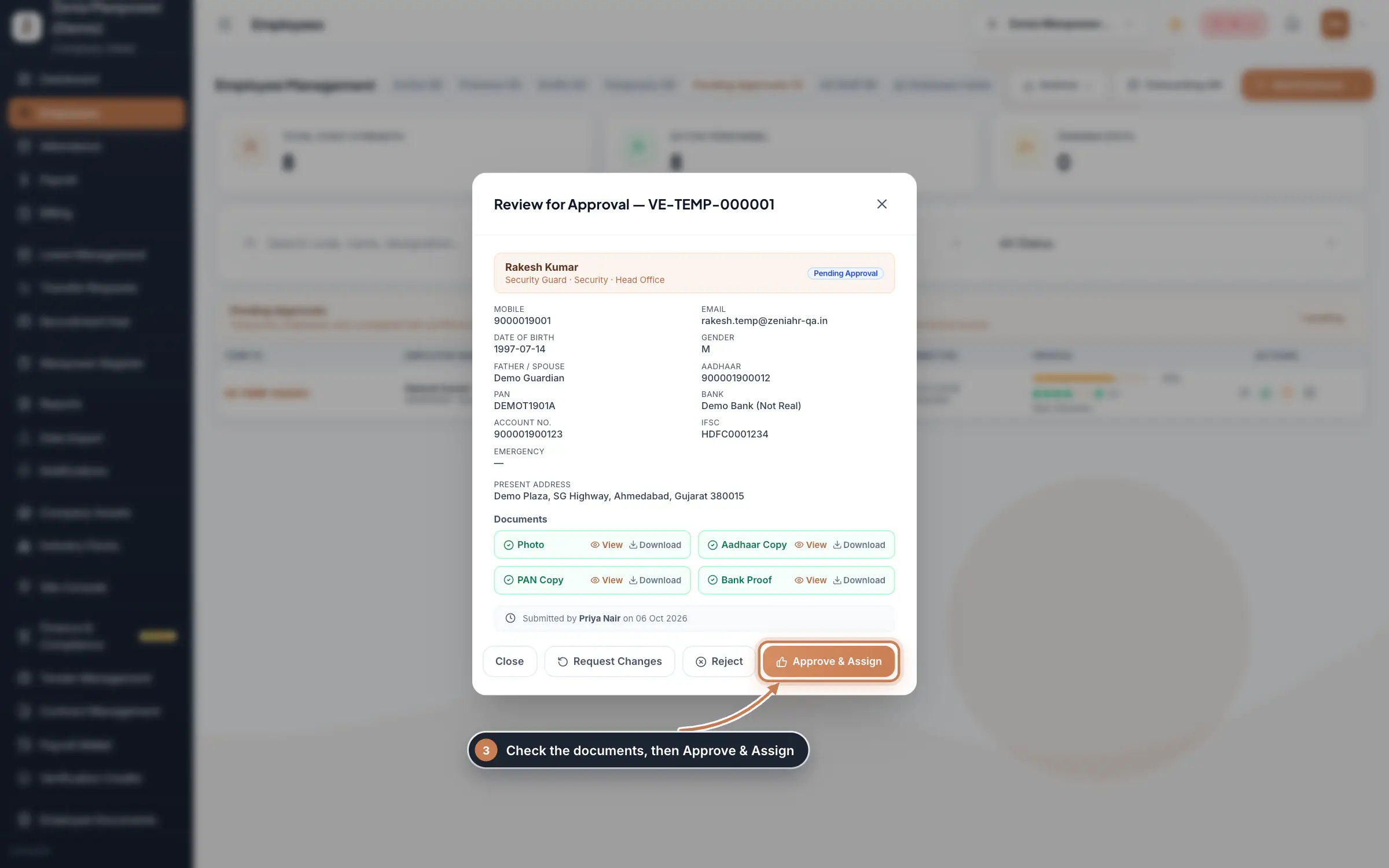
HR opens the submission, checks the details and the uploaded documents, then clicks Approve & Assign. Approving issues the official Employee ID and creates the active employee record. New joiners stay inactive until this step.
The employee installs the ZeniaHR app and signs in with their mobile number. They now see their own attendance, leave, documents and payslips, all read from the same records HR manages.
5
Attendance appears for HR
HRAdmin panel
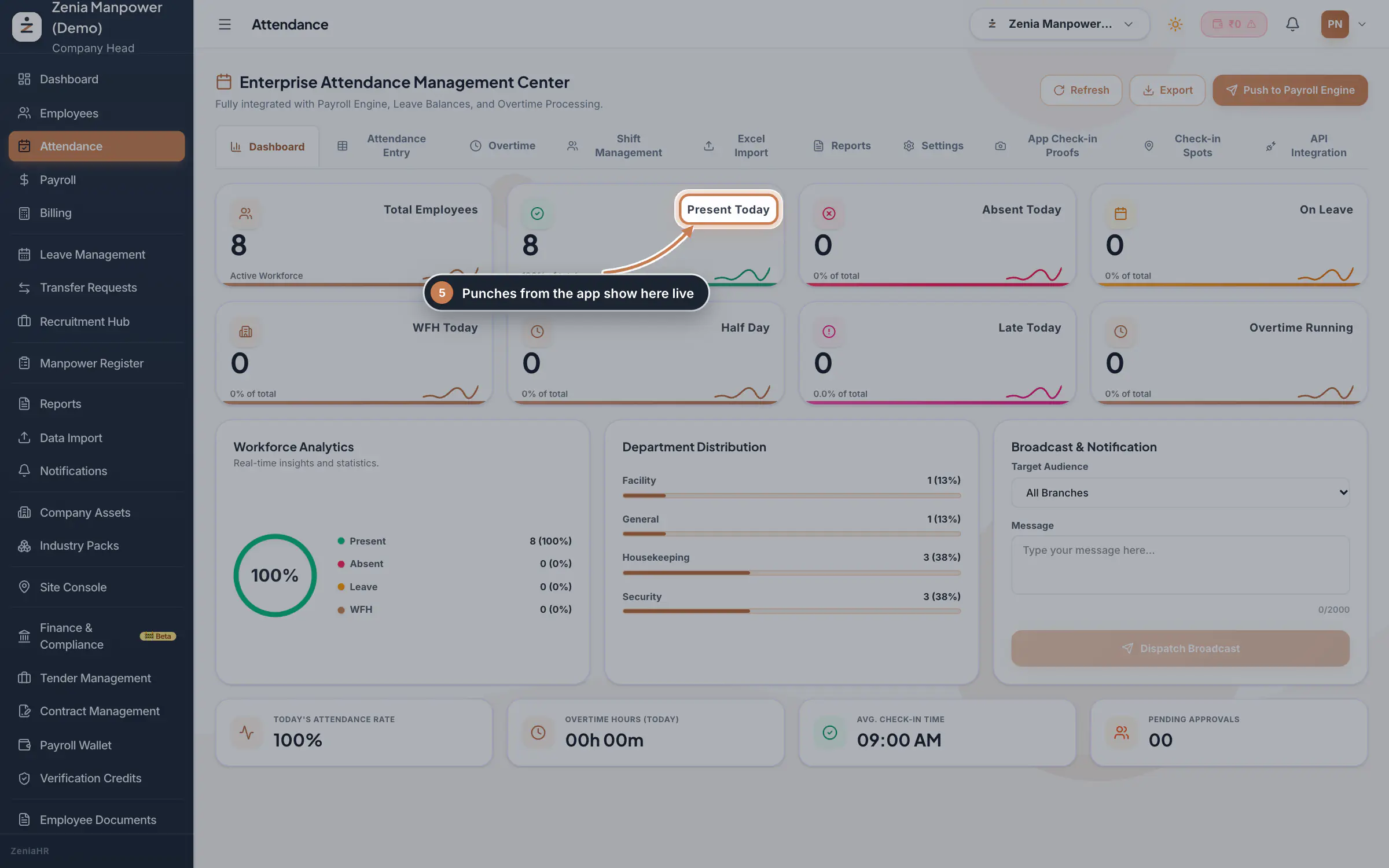
The employee marks attendance from the app, and it shows up live on HR's Attendance dashboard: present, absent and on leave counts, and the split by department. HR can also mark or correct attendance here.
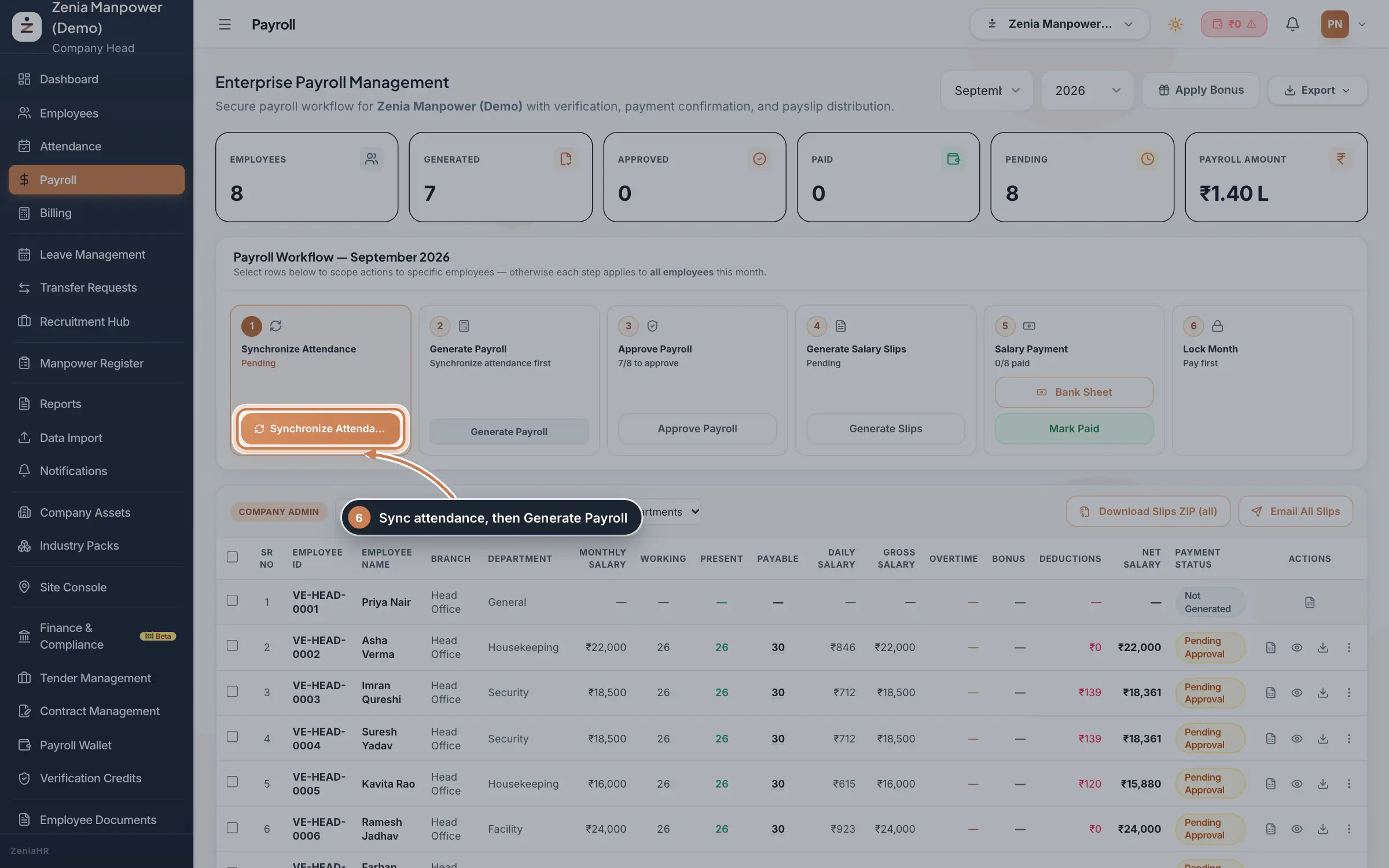
At month end, HR picks the month on the Payroll screen and generates the run. Each person's days, gross, deductions and net pay are worked out from the attendance that came in from the app.
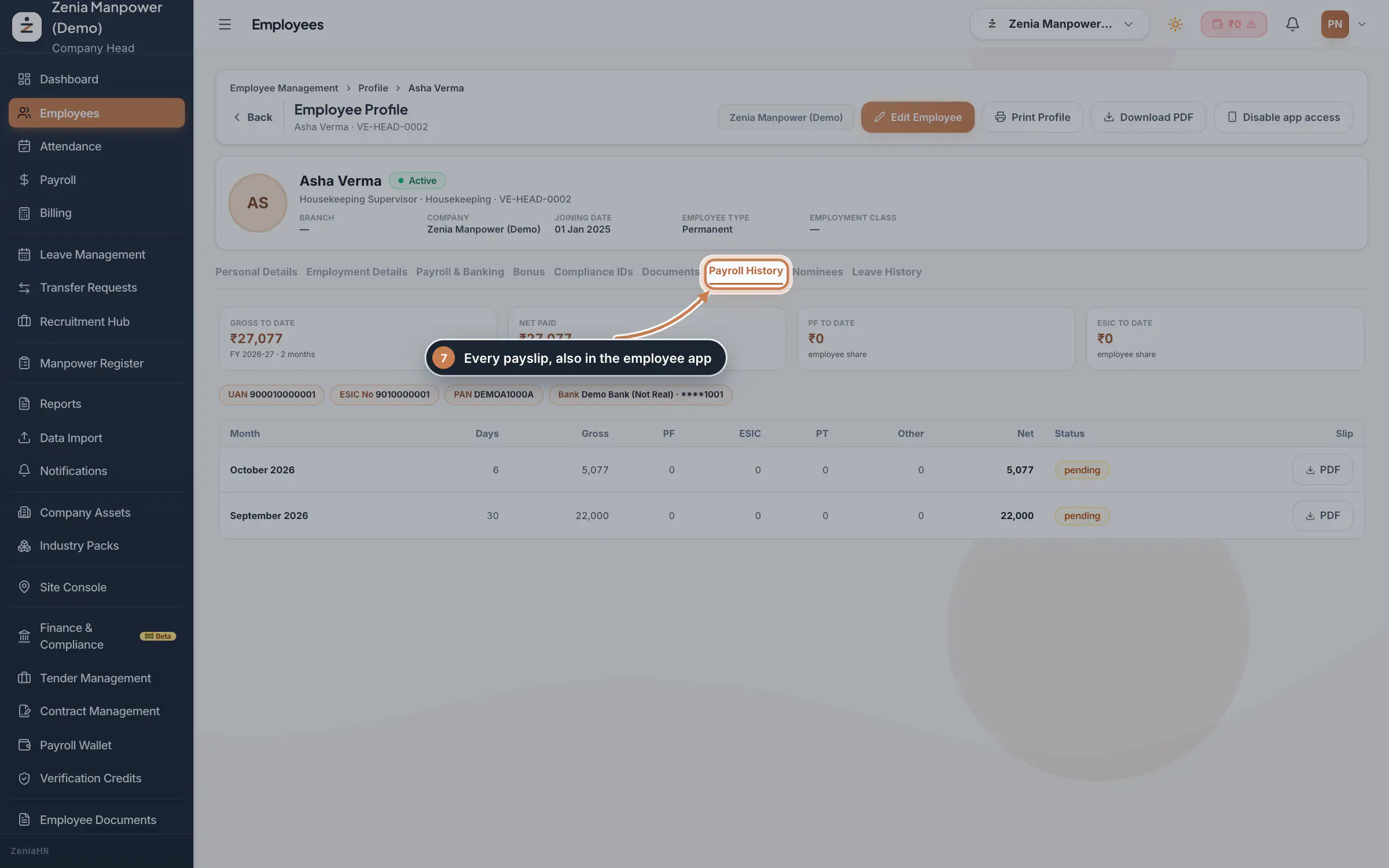
Once payroll is generated, the payslip is ready. The employee opens it in the app, and HR or Finance can view and send each month's slip from the employee's Payroll History, with the net pay, statutory numbers and a downloadable PDF.
A temporary joiner is only a record waiting for approval until HR approves them in Pending Approvals. Approving creates the active employee, and only then do they count in attendance and payroll.
Does the employee enter their own details?
Yes. With self onboarding the joiner fills in their personal details and uploads their documents, which saves HR time and keeps the data accurate. HR still reviews and approves everything before the record goes live.
 Full size
 Full size
 Full size
 Full size
 Full size