Custom Domain module (Beta)
Open your ZeniaHR workspace on your own subdomain, such as hr.yourcompany.com, with the DNS records to create, automatic SSL and your own logo and colours on the sign-in page.
Key screens
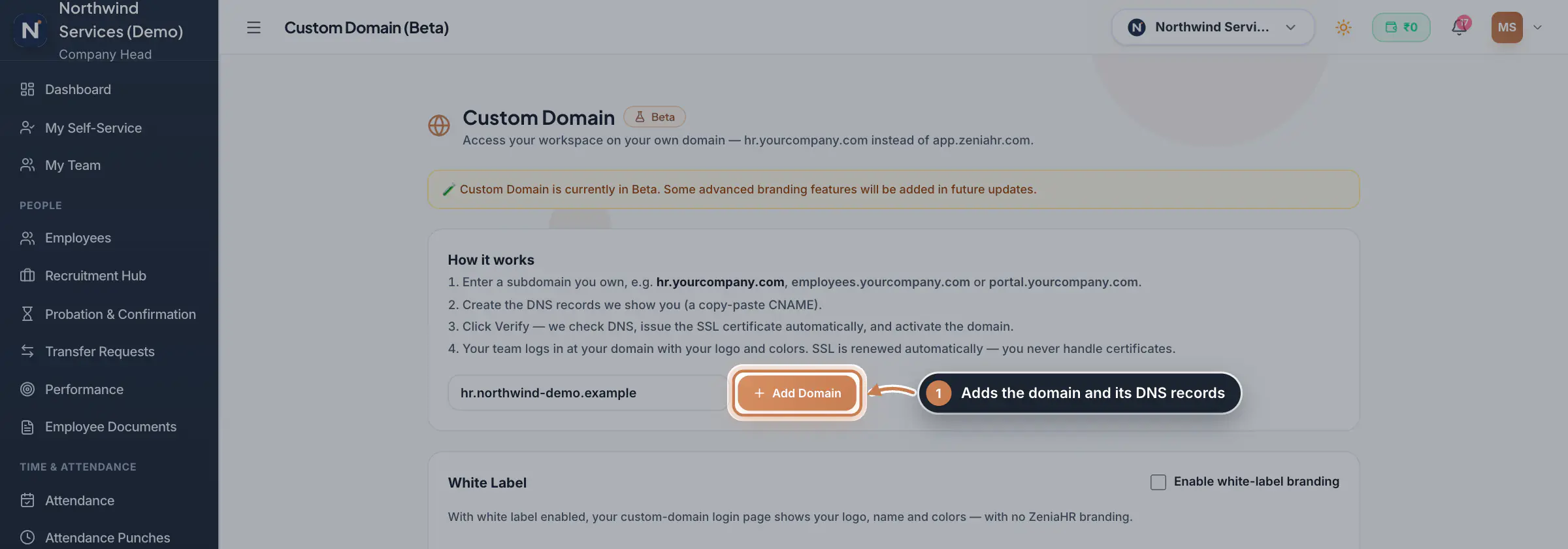
Add your domain
Open Settings and, under Company, click Custom Domain (Beta). Type a subdomain you own, such as hr.yourcompany.com, employees.yourcompany.com or portal.yourcompany.com, and click Add Domain. Domains of ZeniaHR, of common email and cloud providers, and reserved names are refused.
 Full size
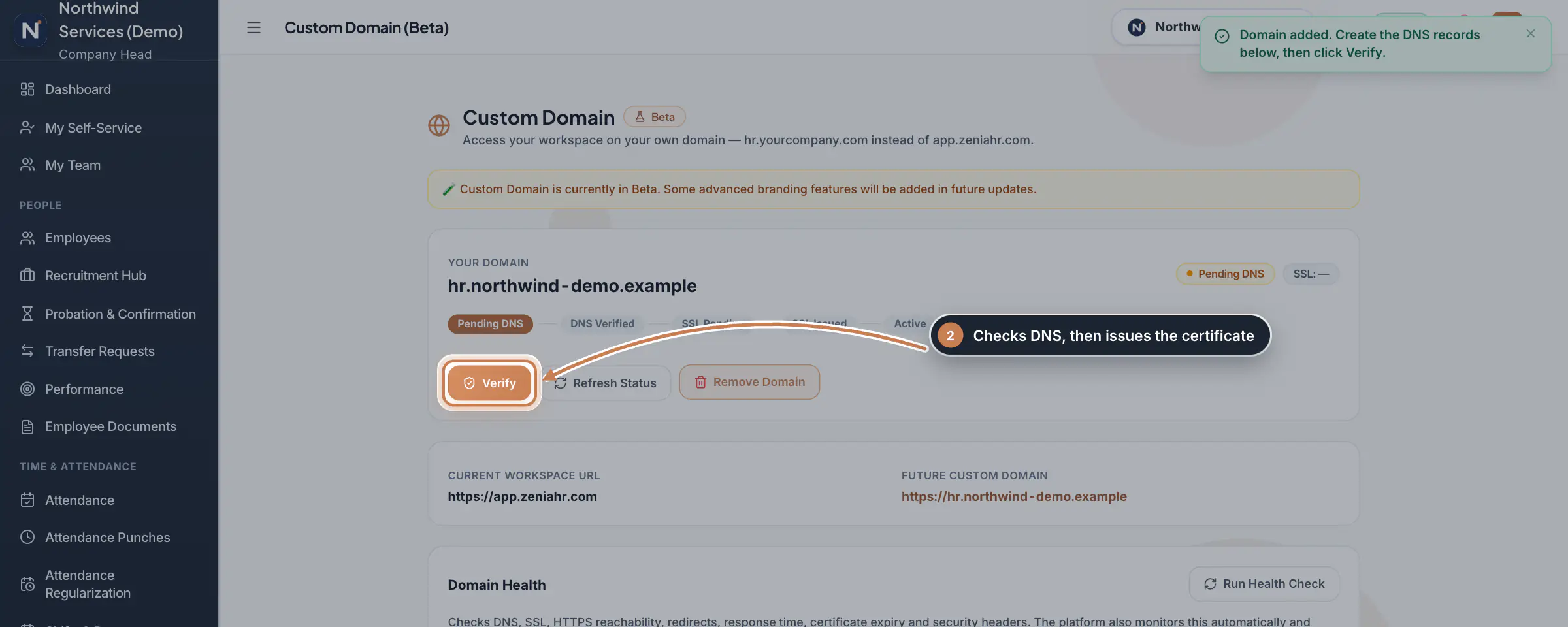
Step 1 Follow the status and verify
The card shows Your Domain and its status: Pending DNS, then DNS Verified, SSL Pending, SSL Issued and Active. After you have created the DNS records, click Verify: ZeniaHR checks that the domain points at it and then issues the certificate. Refresh Status checks again, and Remove Domain stops the domain at once after you confirm. Below, Run Health Check tests DNS, SSL, HTTPS, redirects, response time, certificate expiry and security headers; the platform also watches this by itself and tells you if the domain degrades.
 Full size
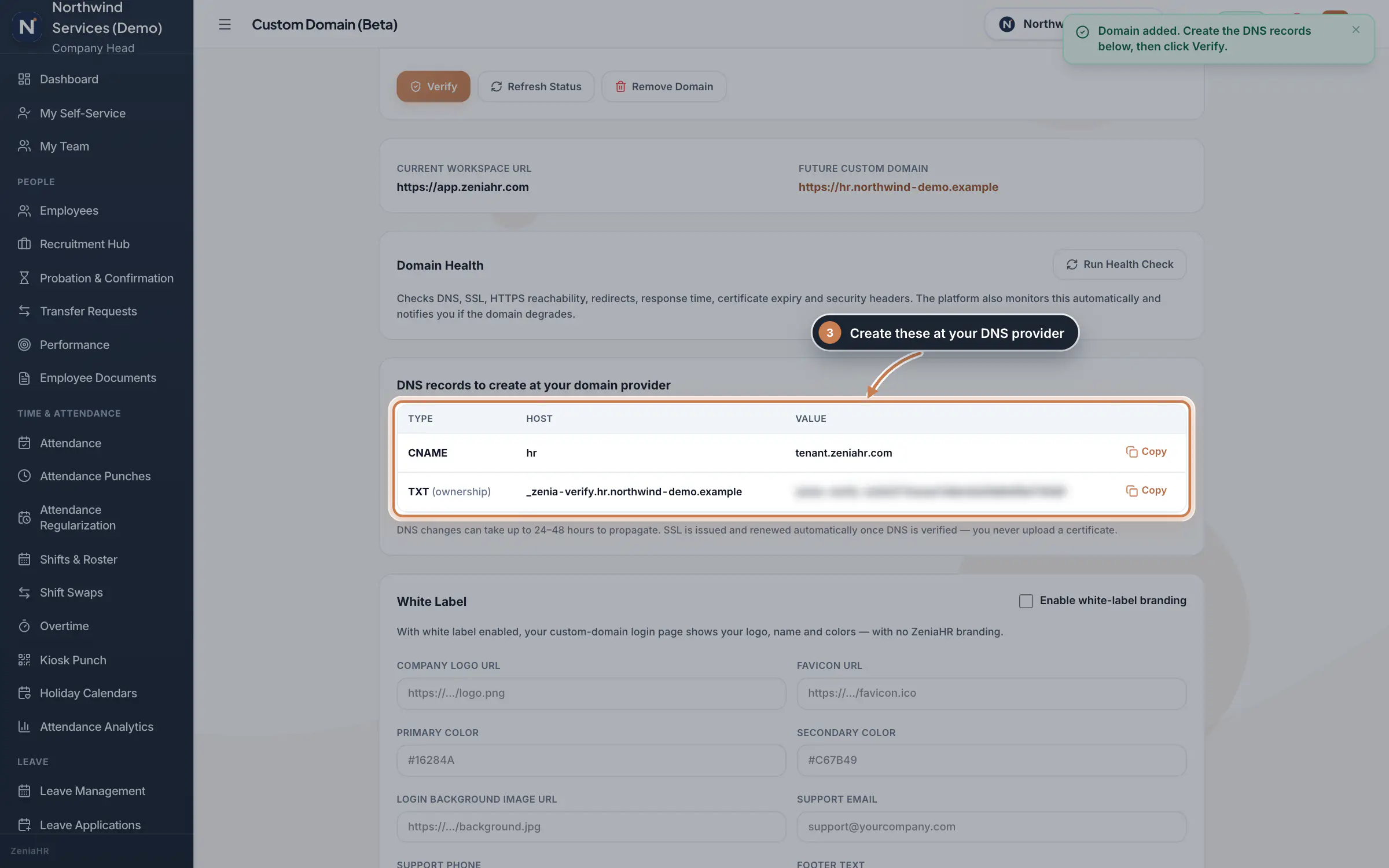
Step 2 Create the DNS records
At your domain provider, create the records in DNS records to create at your domain provider: a CNAME from your subdomain's host to the target shown, and a TXT record that proves you own the domain. Copy next to each value copies it. DNS changes can take 24 to 48 hours to reach everyone, so verify again later if the status stays at Pending DNS.
 Full size
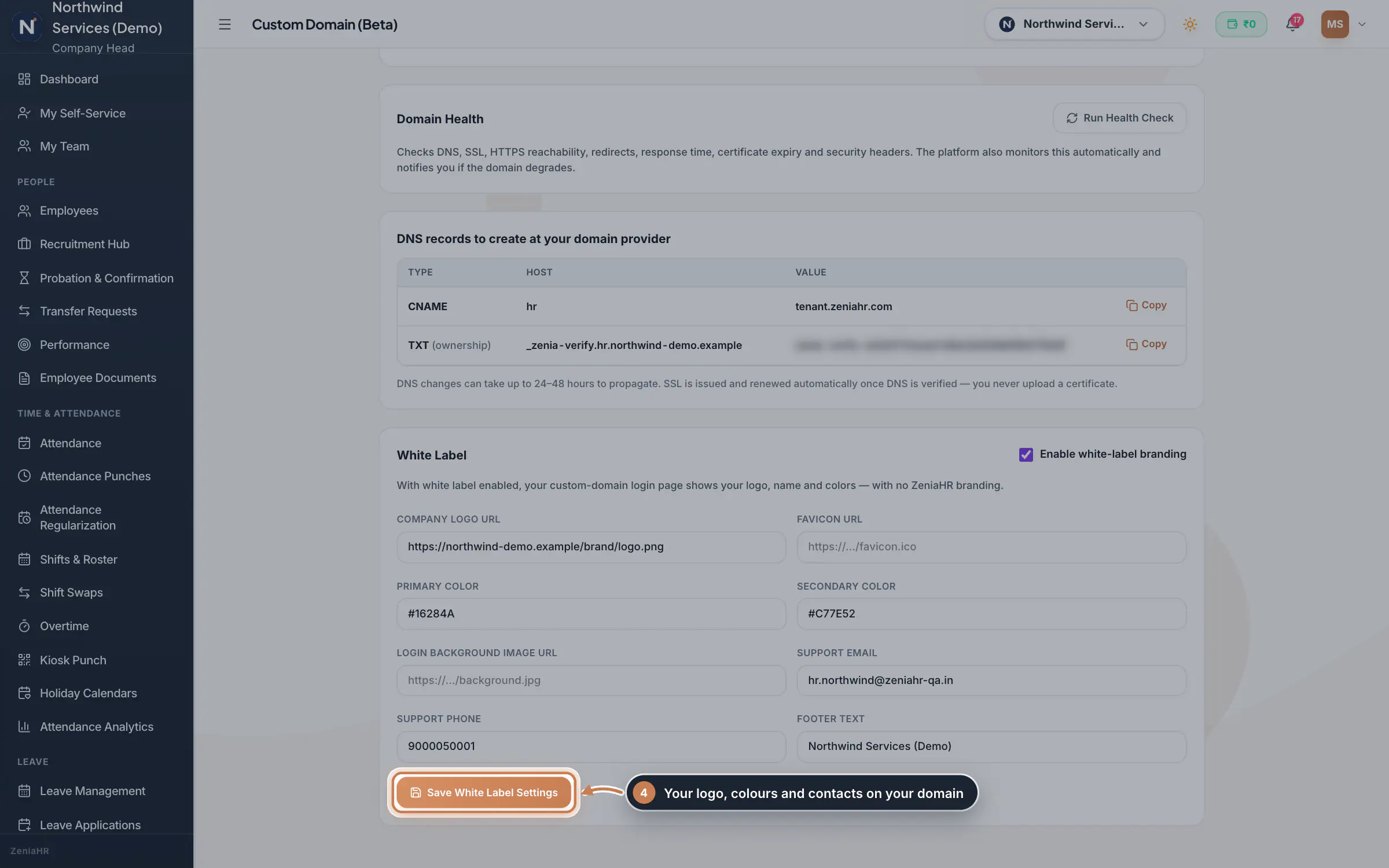
Step 3 Brand the sign-in page
Under White Label, tick Enable white-label branding and fill in the Company Logo URL, Favicon URL, Primary Color, Secondary Color, Login Background Image URL, Support Email, Support Phone and Footer Text. Click Save White Label Settings. Your custom domain's sign-in page then shows your logo, name and colours.
 Full size
Step 4
What it does
Custom Domain (Beta) lets your team open the ZeniaHR workspace on a subdomain you own, such as hr.yourcompany.com. You add the domain, create the DNS records the page shows you, and click Verify: ZeniaHR checks the DNS, issues the SSL certificate by itself and switches the domain on. White Label puts your logo, name, colours and support contacts on the sign-in page of that domain, without ZeniaHR branding.
Who uses it
- The Company Head adds, verifies and removes the domain and saves the white label settings. It is in Settings, under Company, and only the Company Head can open it.
- Custom Domain is a premium module: when your plan does not include it, the page says so.
How it connects
A company has one custom domain, and a domain can belong to only one company. Only an active domain routes to your workspace, and only your own people can sign in through it. You never handle certificates: SSL is issued once the DNS is verified and renewed automatically.
Questions
Why does my domain stay at Pending DNS?
The CNAME record is missing or not visible yet. Check the record at your domain provider, wait for DNS to update, then click Verify or Refresh Status. After many failed checks the status turns Failed.
Do I need to buy or upload an SSL certificate?
No. ZeniaHR issues the certificate once the DNS is verified and renews it automatically.
Can I use my main domain, such as yourcompany.com?
Use a subdomain such as hr.yourcompany.com, so your website stays where it is.
Related
 Company Profile moduleKeep your company's details, owners, certificates, branding images and branches in one place, with a timeline of every change.Module
 Settings moduleThe Policy & Settings Hub: a card for every settings page, and tabs for statutory rules, policies, departments, user permissions, modules, labour compliance, bank verification, the employee app and onboarding documents.Module
 Company Assets moduleKeep the company's branding files and bank accounts as separate records, import them from the Company Profile and mark the main one of each kind.Module
- ZeniaHR for every businessSee how it works on the ZeniaHR website