Performance module
Run review cycles for your HRMS Core staff, set each person's goals with a type and a weight, and see where the cycle's reviews stand.
Key screens
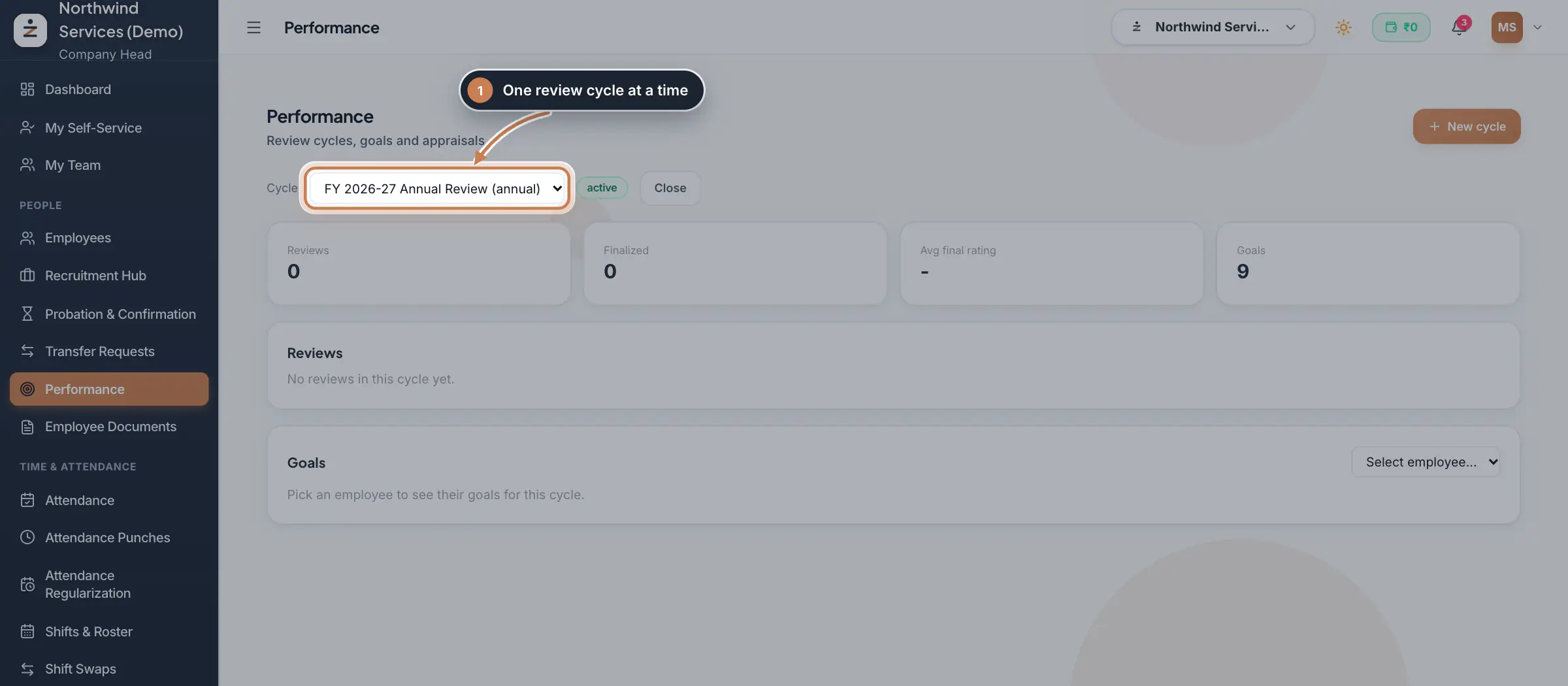
Pick a review cycle
In the sidebar, click Performance and choose the Cycle. Its status shows next to it: a draft cycle can be opened with Activate, and an active one ended with Close. The tiles count the cycle's Reviews, how many are Finalized, the Avg final rating and the Goals set. Reviews lists each person's review with its status, from Pending through Self submitted and Manager submitted to Finalized, and the self, manager and final ratings.
 Full size
Step 1 Start a new cycle
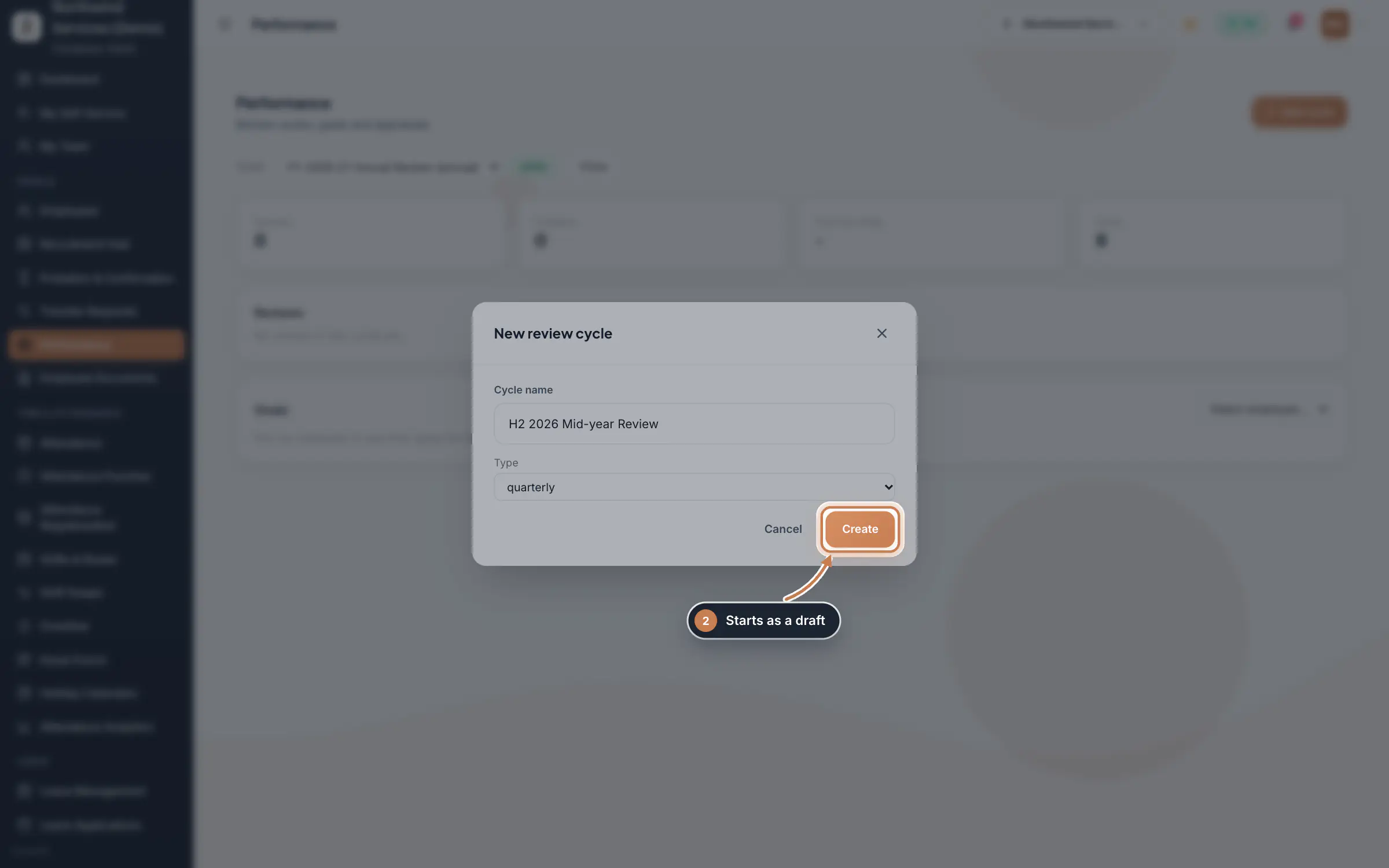
Click New cycle, type the Cycle name, choose the Type (annual, quarterly, monthly, probation or adhoc) and click Create. The cycle starts as a draft, so you can set goals before you activate it.
 Full size
Step 2 See one person's goals
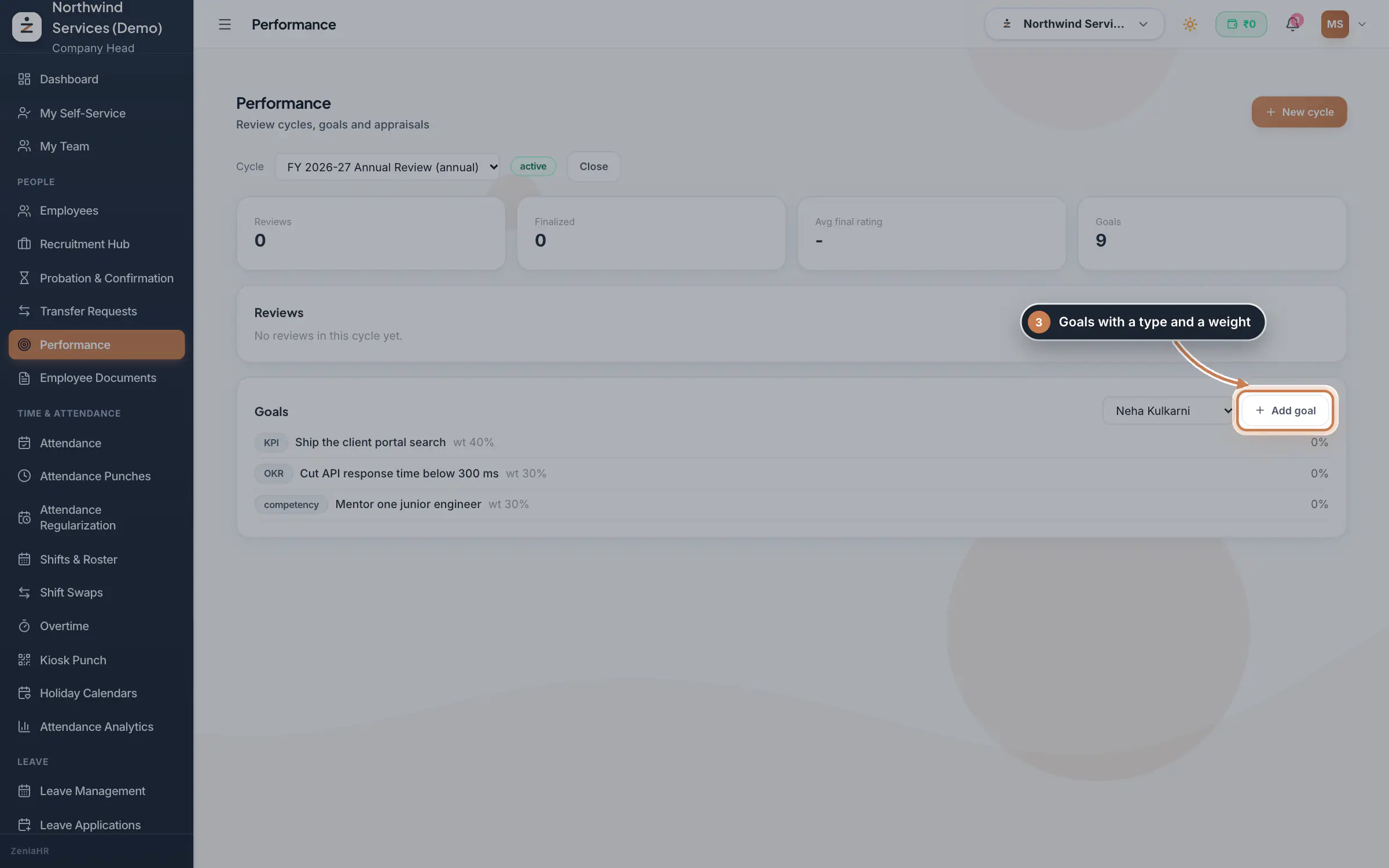
Under Goals, choose the person. Each goal shows its type, its title, its weight and its progress, with a tick once it is completed.
 Full size
Step 3 Add a goal
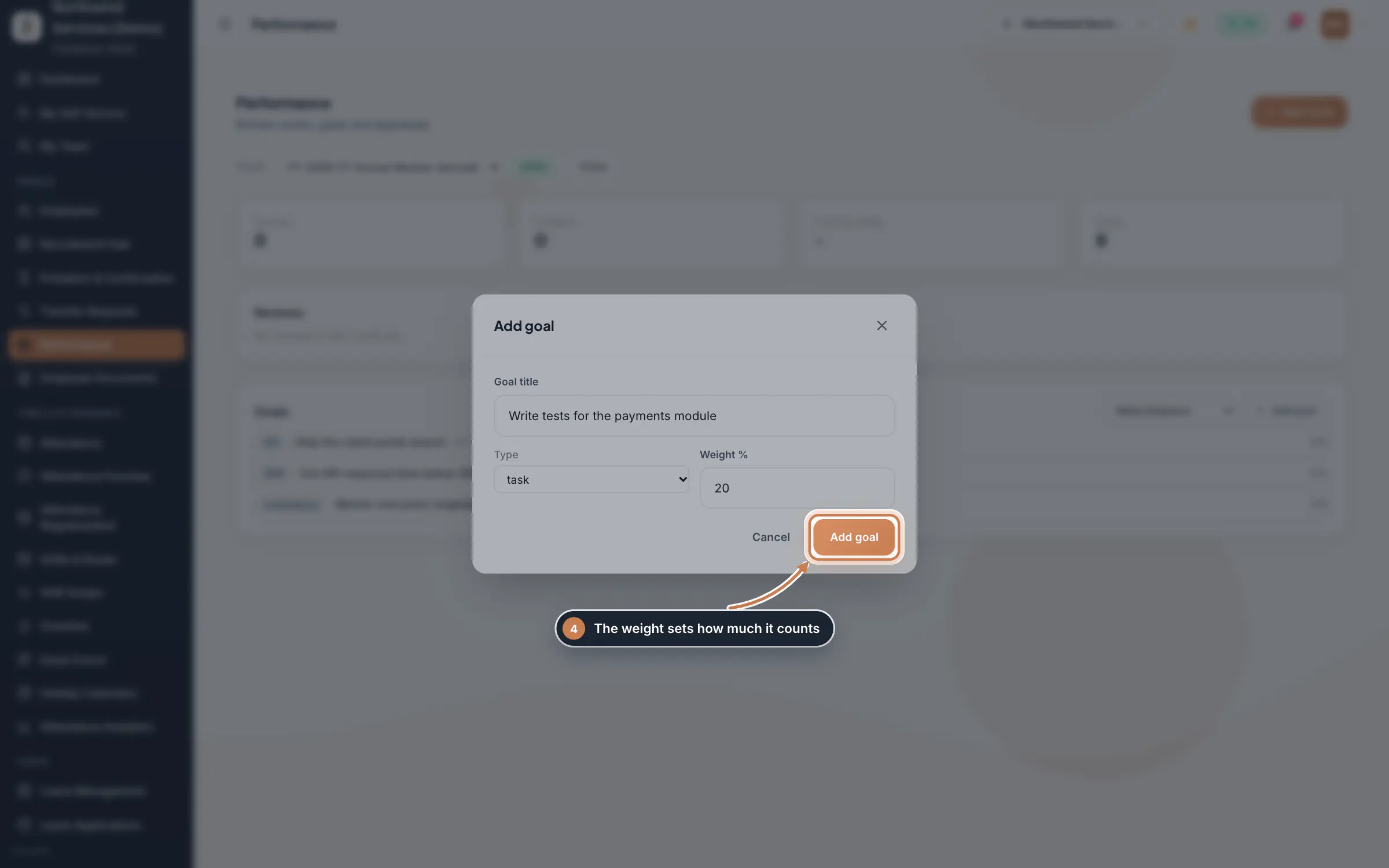
Click Add goal, type the Goal title, choose the Type and enter the Weight %, then click Add goal. The weight decides how much the goal counts in the person's overall progress: a goal with weight 40 counts twice as much as one with weight 20.
 Full size
Step 4
What it does
Performance organises appraisals into review cycles, such as an annual or a quarterly review. For each cycle you set every person's goals, each with a type (KPI, OKR, KRA, competency or task) and a weight, and the page shows how the cycle's reviews stand: how many there are, how many are finalized and the average final rating.
Who uses it
- The Company Head and HR.
- In a company that runs both Manpower and HRMS Core, only HRMS Core staff take part.
How it connects
Goals and reviews belong to people in Employees, one set per person in each cycle. A review walks from the person's own review to their manager's and then to a final rating, and the Reviews list shows where each one stands.
Questions
Can I enter ratings or goal progress on this page?
No. This page sets up cycles and goals and shows where the reviews stand; ratings and progress are not recorded on it.
Why is someone missing from the employee list?
In a company that runs both Manpower and HRMS Core, only HRMS Core staff take part in performance cycles.
What happens to a closed cycle?
It stays in the Cycle list with its goals and reviews, so you can look back at it.
Related
 Employees moduleThe staff directory, where you add people, open an employee profile and approve new joiners.Module
 Learning moduleKeep your training programs, enroll people, mark who has completed them and track completion, with certificates issued on completion.Module
- Employee onboarding softwareSee how it works on the ZeniaHR website