Statutory Payroll Rules
Set how the salary you enter becomes gross pay, switch PF, ESIC and Professional Tax on with their rates, keep state PT slabs and day rates, and check a worked example before you save.
Key screens
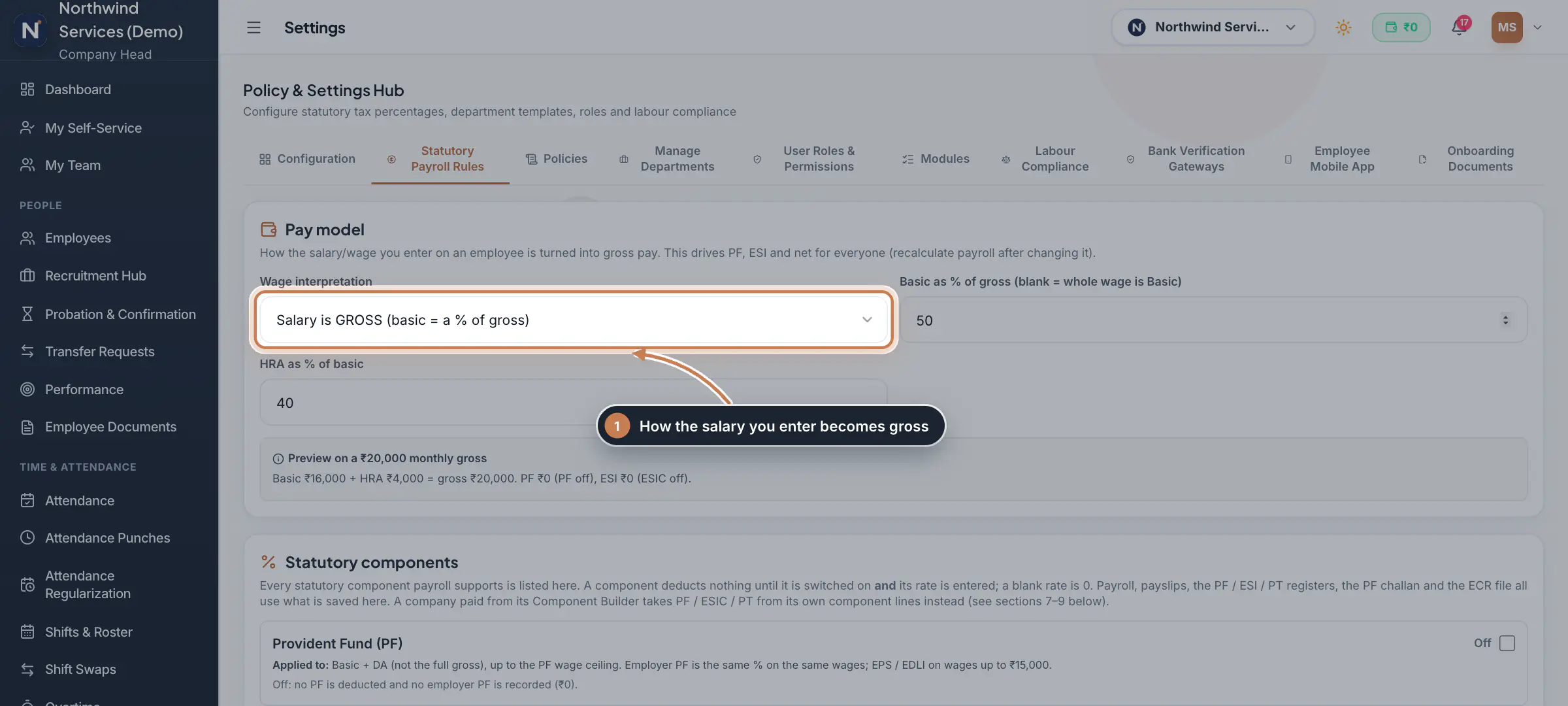
Choose the pay model
In the sidebar, click Settings, then Statutory Payroll Rules. Under Pay model, pick the Wage interpretation. With Salary is GROSS, set Basic as % of gross and HRA as % of basic: HRA is worked out on that share of the gross, and the rest of the gross stays in Basic. Leave the Basic box blank to treat the whole wage as Basic. With Wage is BASIC, the gross is built up on top of the wage from the DA, HRA and other allowance percentages. The preview shows the split of a ₹20,000 salary.
 Full size
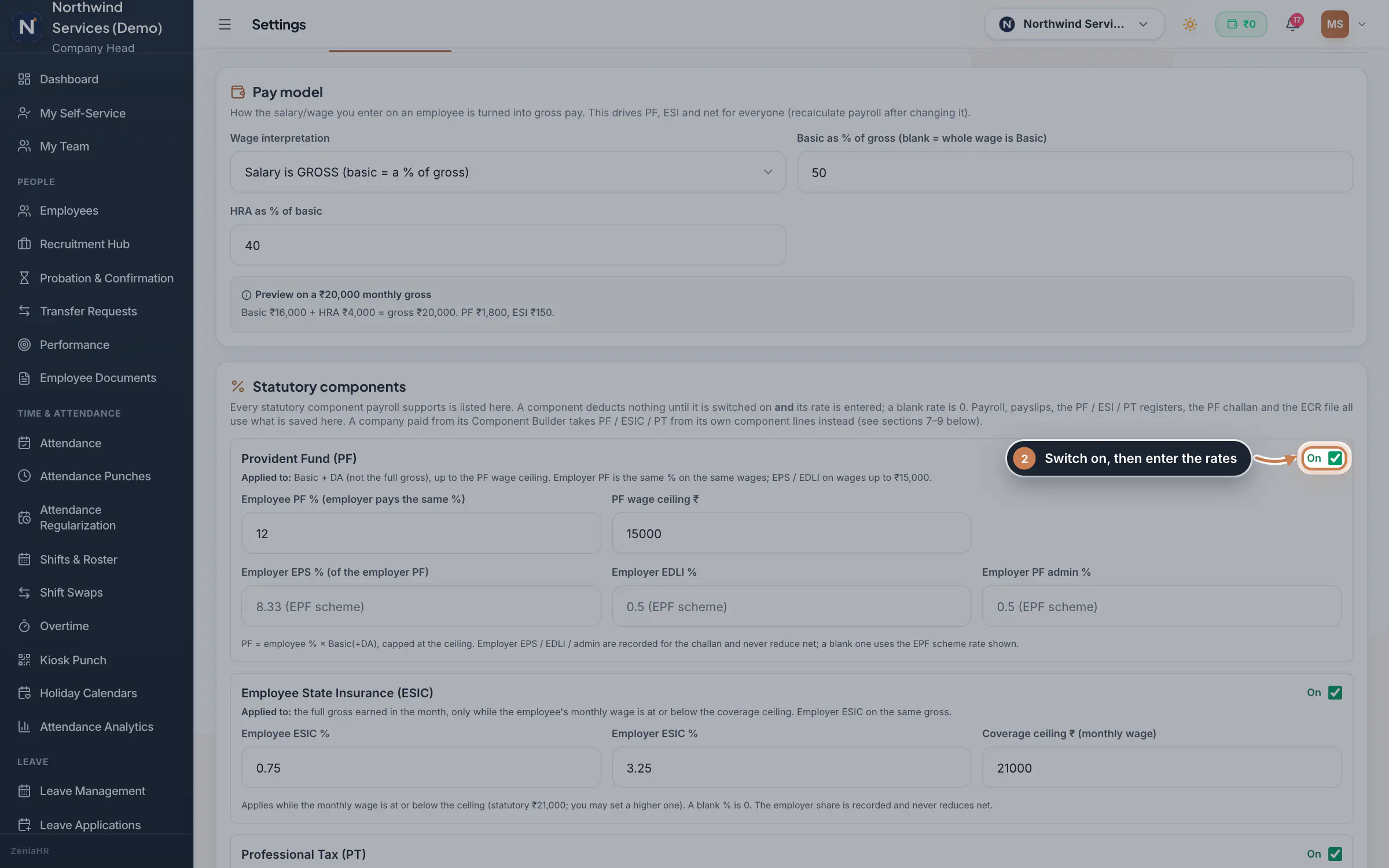
Step 1 Switch on PF and ESIC with their rates
Under Statutory components, tick a component's box to switch it on, then fill in its rates. For Provident Fund (PF): the Employee PF %, which the employer pays as well, and the PF wage ceiling; the employer EPS, EDLI and PF admin percentages use the EPF scheme rates when left blank. For Employee State Insurance (ESIC): the employee and employer percentages and the Coverage ceiling, the monthly wage up to which ESIC applies. Professional Tax (PT) follows the state slabs below, with a flat monthly amount only for a state that has no slabs. Labour Welfare Fund is listed but not calculated.
 Full size
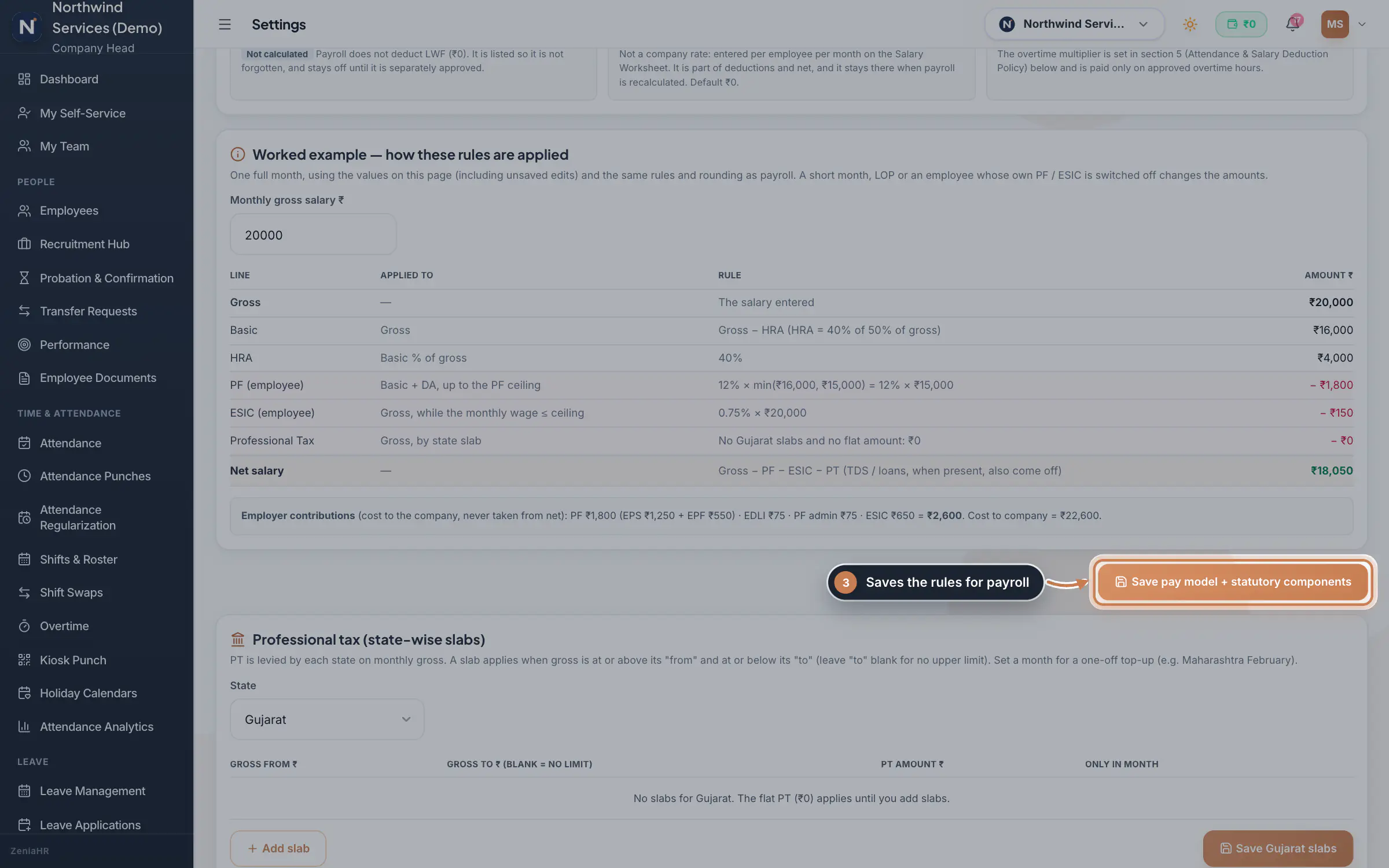
Step 2 Check the worked example and save
In Worked example, type any monthly salary. The table shows each line, what it is applied to, the rule and the amount, then the net salary and the employer's own contributions, using the values on the page even before you save. When it looks right, click Save pay model + statutory components.
 Full size
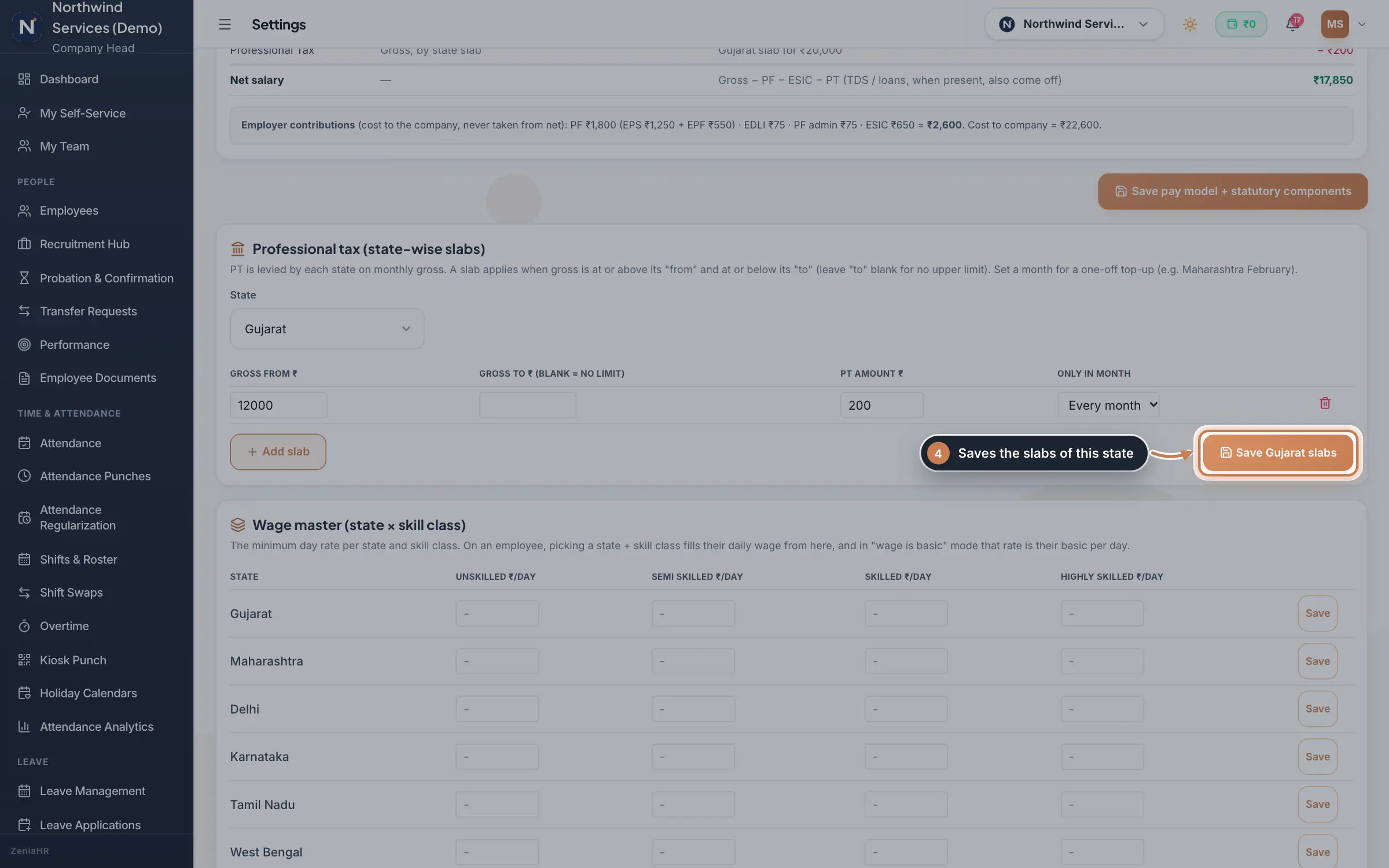
Step 3 Add the Professional Tax slabs of a state
Under Professional tax (state-wise slabs), pick the State and click Add slab. Enter Gross from, Gross to (blank for no upper limit) and the PT amount, and pick a month under Only in month for a one-off top-up such as February in Maharashtra. Click Save with the state's name, for example Save Gujarat slabs. PT is taken from the employee's state, or the company's when the employee has none.
 Full size
Step 4 Keep the wage master
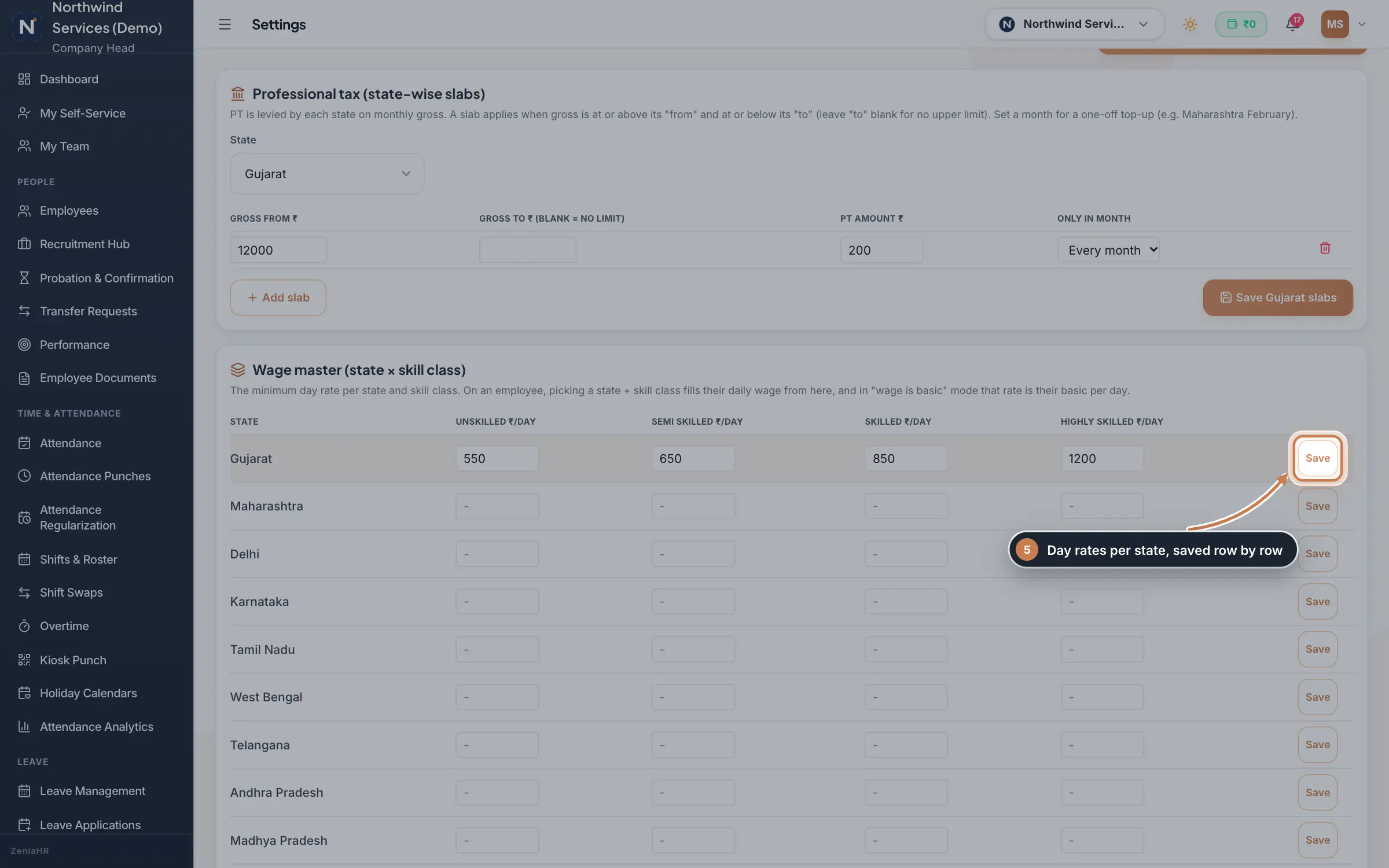
Under Wage master (state × skill class), enter the minimum day rate of each skill class, Unskilled, Semi Skilled, Skilled and Highly Skilled, for a state and click Save on that row. When you pick a state and skill class on an employee, their daily wage fills in from here.
 Full size
Step 5 Open the payroll rules engine
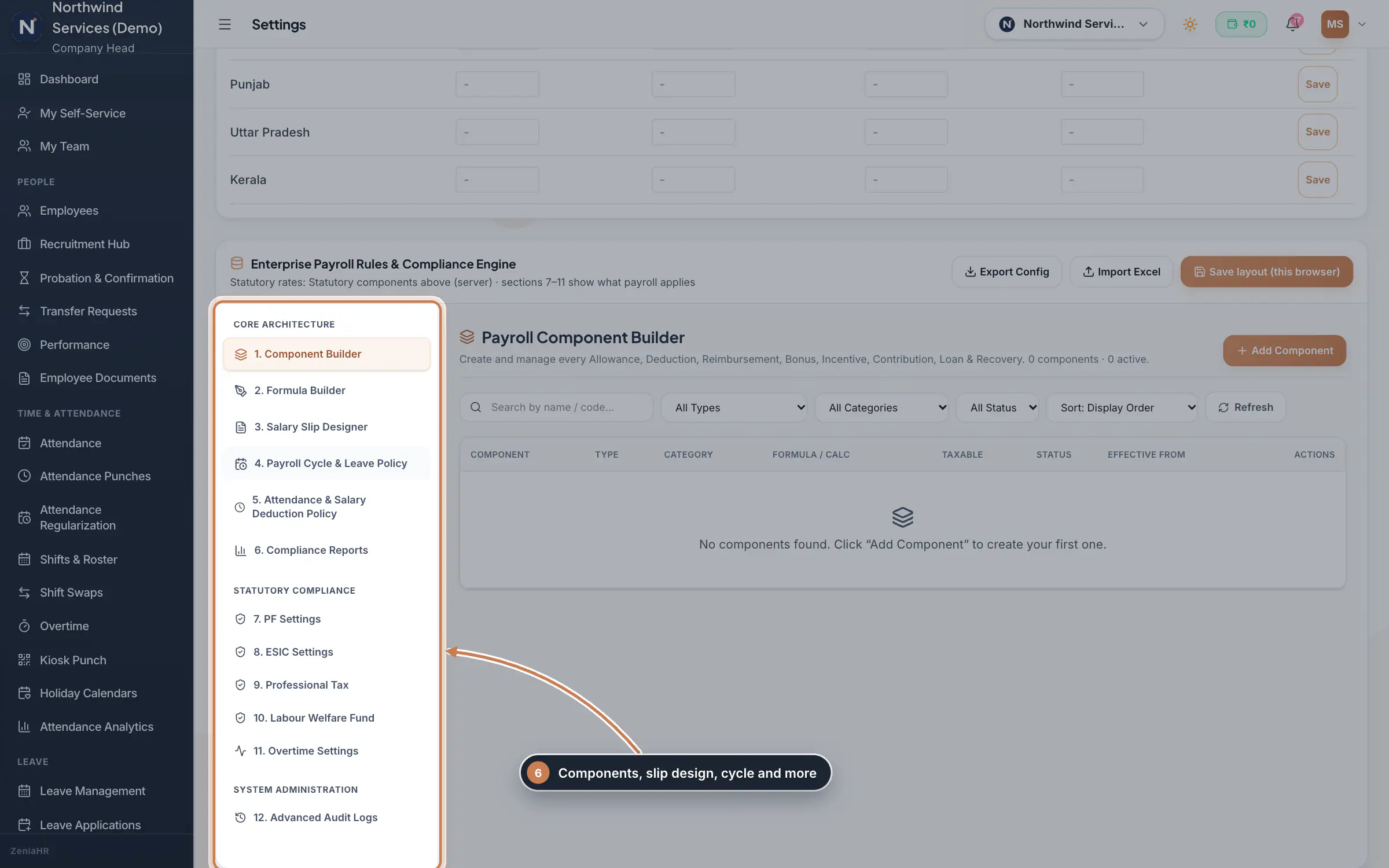
Below, Enterprise Payroll Rules & Compliance Engine has its own menu: the Component Builder for your own allowances, deductions, reimbursements, bonuses and recoveries, the Formula Builder, the Salary Slip Designer, the Payroll Cycle & Leave Policy, the Attendance & Salary Deduction Policy and Compliance Reports. Sections 7 to 11 show the PF, ESIC, PT, Labour Welfare Fund and overtime settings payroll applies, and section 12 keeps the audit log.
 Full size
Step 6
What it does
Statutory Payroll Rules is a tab of Settings. It holds the company's statutory setup: the Pay model that turns the salary you enter into gross pay, the Statutory components (Provident Fund, ESIC and Professional Tax, each with its own switch and rates), the Professional Tax slabs of each state and a Wage master of day rates. A component deducts nothing until it is switched on and its rate is entered; a blank rate is ₹0. Payroll, payslips, the PF, ESI and PT registers, the PF challan and the ECR file all use what is saved here.
Who uses it
- The Company Head changes the rules.
- HR and Finance can open the tab and see the rules, read-only.
How it connects
Every payroll run uses these rules, and a Worked example on the page shows their effect on any salary before you save. A company that pays from its own Component Builder takes PF, ESIC and PT from its own component lines instead. Income tax (TDS) is not a company rate: it is entered for each employee and month on the Salary Worksheet. After a change, recalculate the month's payroll so its amounts follow the new rules.
Questions
Why is no PF deducted?
PF is switched off, or its rate is blank. Switch it on, enter the rate, save, and recalculate the month's payroll.
Who can change these rules?
Only the Company Head. Others see the tab read-only.
Where do I enter an employee's income tax?
On the Salary Worksheet in Payroll, for each employee and month. It is part of the deductions and stays when payroll is recalculated.
Related
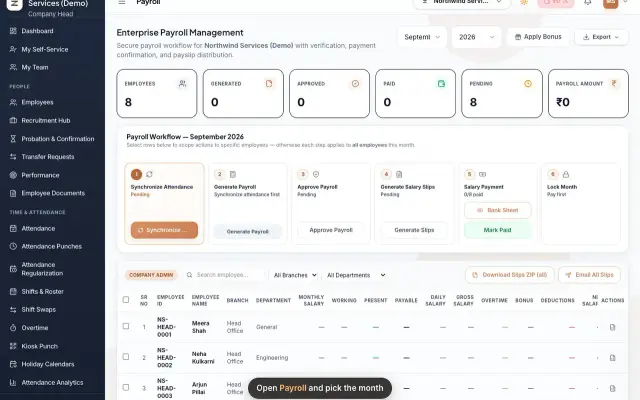 Run payroll and share payslipsRun the monthly payroll for your own employees in six steps, from synchronizing attendance to approving salaries, generating payslips, sharing them and paying.Guide29 s video
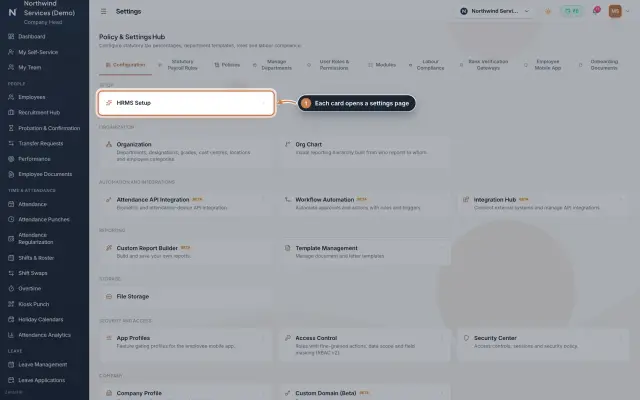 Settings moduleThe Policy & Settings Hub: a card for every settings page, and tabs for statutory rules, policies, departments, user permissions, modules, labour compliance, bank verification, the employee app and onboarding documents.Module
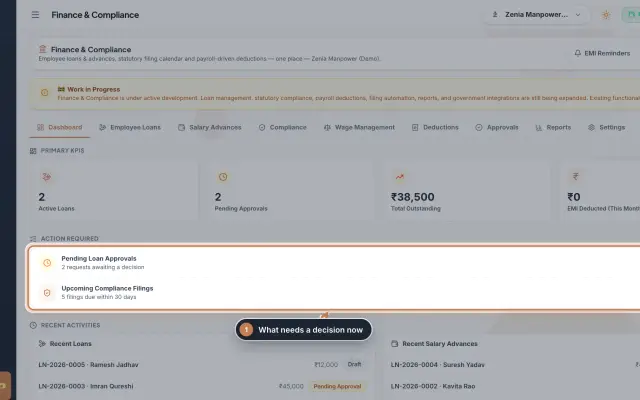 Finance & Compliance module (Beta)Employee loans and salary advances with their EMI schedules and approvals, the statutory filing calendar for PF, ESI, PT, TDS, GST and LWF, and loan and compliance reports, in one place.Module
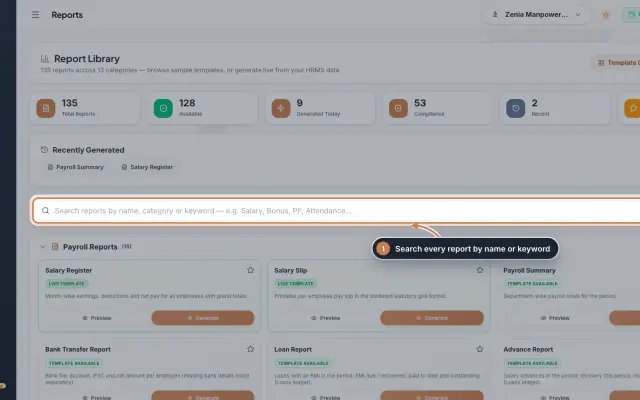 Report Library module135 ready reports in 13 groups, from the salary register and payslips to attendance, leave, employee, document, PF, ESI, tax, bonus and wage registers, generated live from your data as a document you can edit, print and export.Module
- Payroll softwareSee how it works on the ZeniaHR website