Communication Center module (Beta)
Greeting and notice templates, birthday and anniversary wishes, announcements for the employee app and WhatsApp delivery with a safe test mode, in one place.
Key screens
Check what is set up
In the sidebar, open Learning and click Communication Center. Dashboard opens first. Communication Health shows how many templates are set up or missing, how many automations are on, whether WhatsApp and email are connected, and how many events are covered. The cards below count templates, scheduled and sent messages, upcoming birthdays, anniversaries and holidays, and announcements.
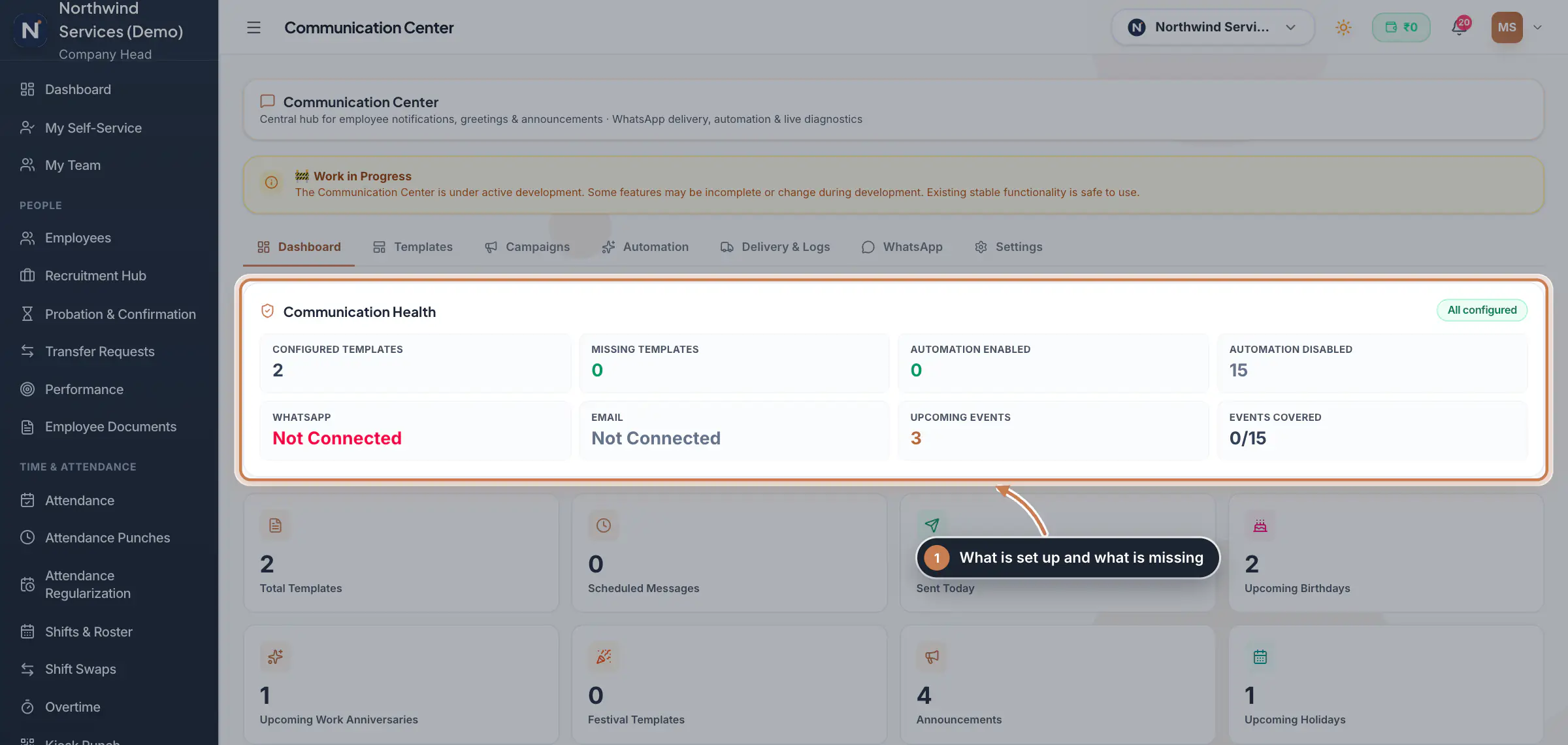 Full size
Step 1 Make a greeting template
Click Templates. My Templates shows your own designs. Click Sample Library to browse ready-made designs for birthdays, anniversaries, festivals and notices; Duplicate one to copy it into My Templates, then edit its words, colours and pictures. New Template starts from scratch. Placeholders such as
{{employee_name}}and{{company_name}}fill in for each person, and the eye icon shows a preview.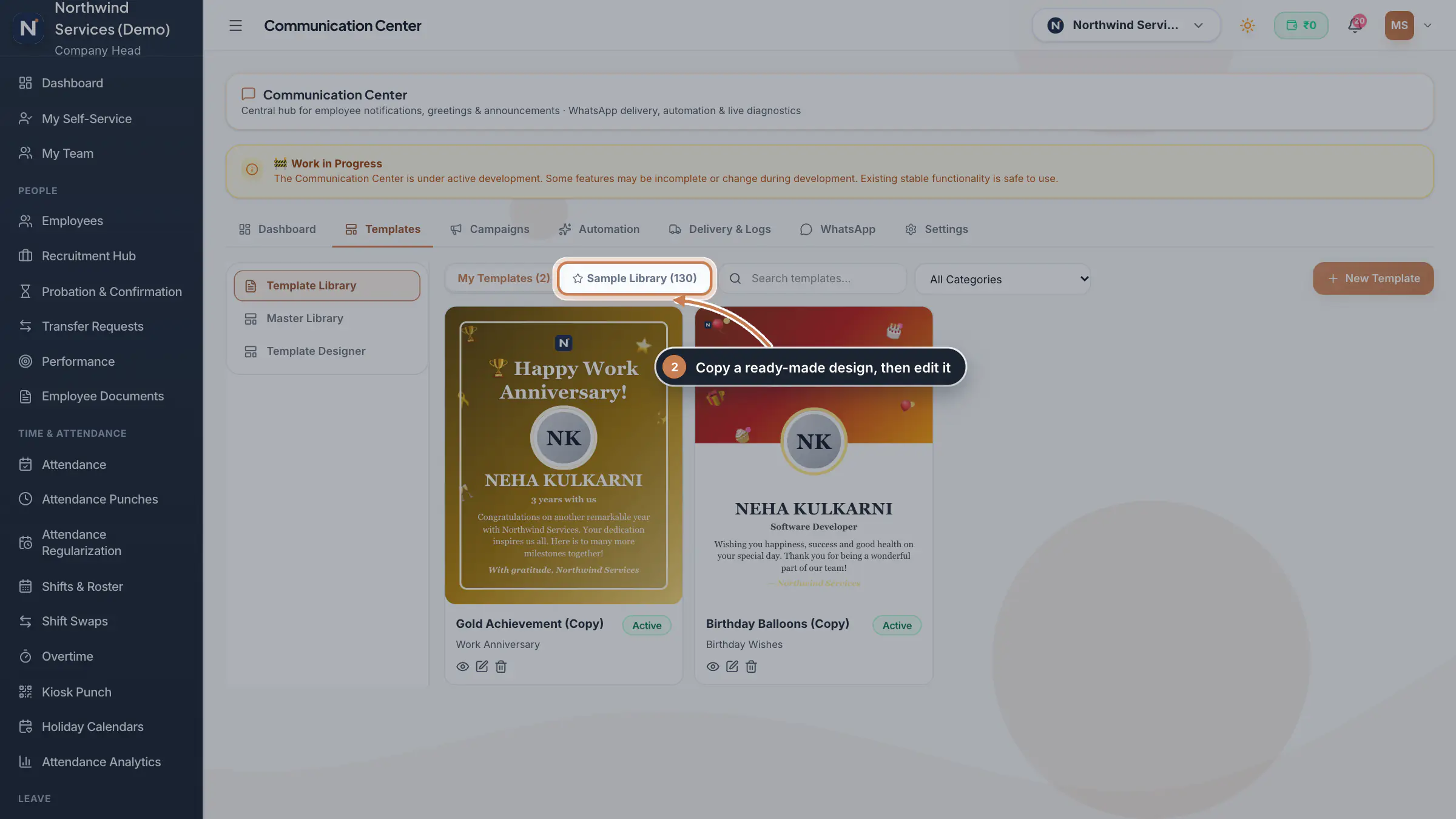 Full size
Step 2 Send birthday and anniversary wishes
Click Campaigns, then Birthday Wishes or Work Anniversary. Today lists the people celebrating today and Upcoming the next 30 days. Pick the Template, check a person with Preview, and click Send Birthday Wishes to send today's wishes on WhatsApp. Sent History below lists what went out, and you can export it. To send wishes by themselves every day, map a template to the event under Automation, Event → Template.
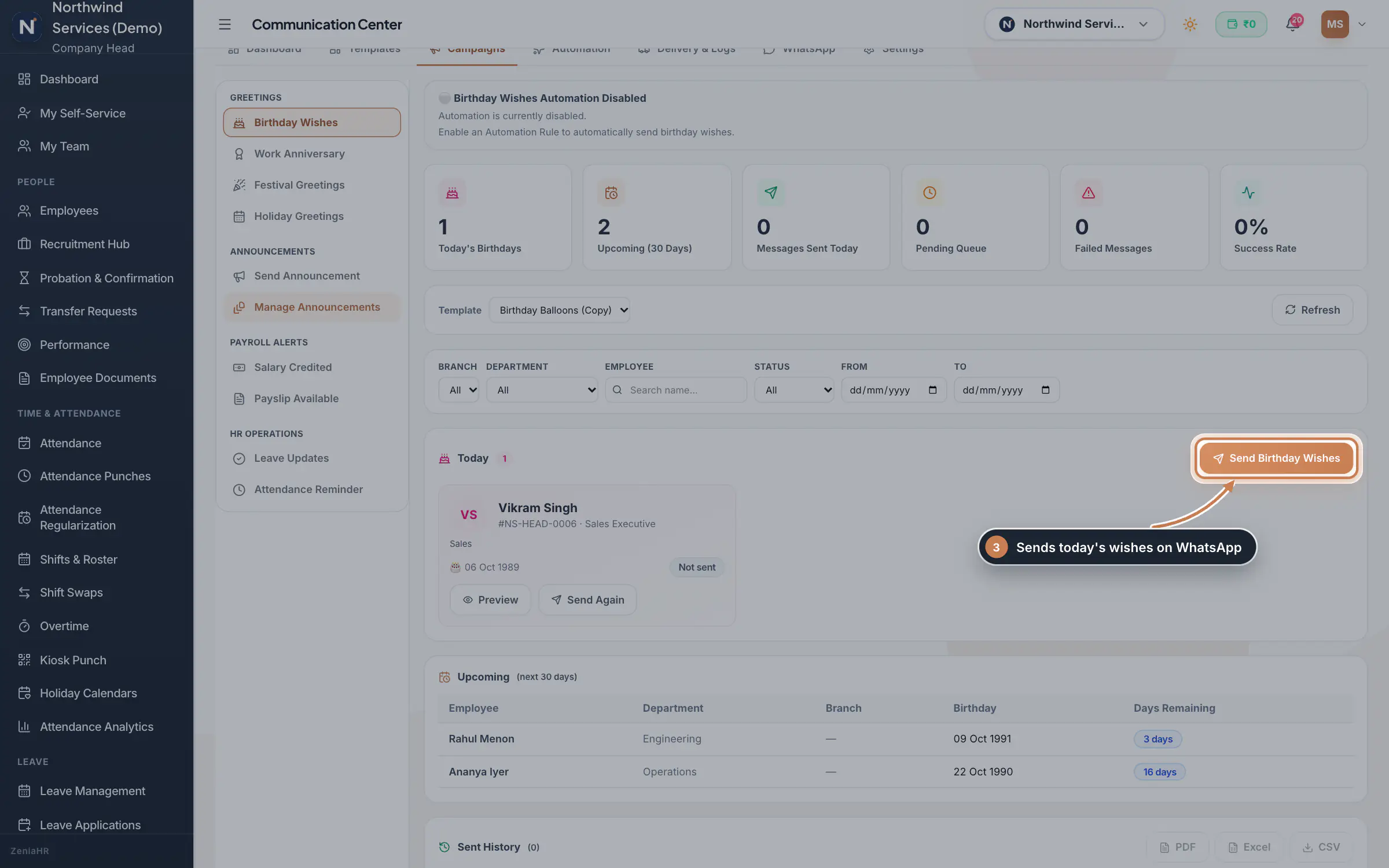 Full size
Step 3 Keep your announcements
Under Campaigns, click Manage Announcements. Each announcement shows its priority, its status and when it expires; the pencil edits it and the bin deletes it. Published announcements that have not expired show in the employee app as Company notices; Draft ones are kept for later.
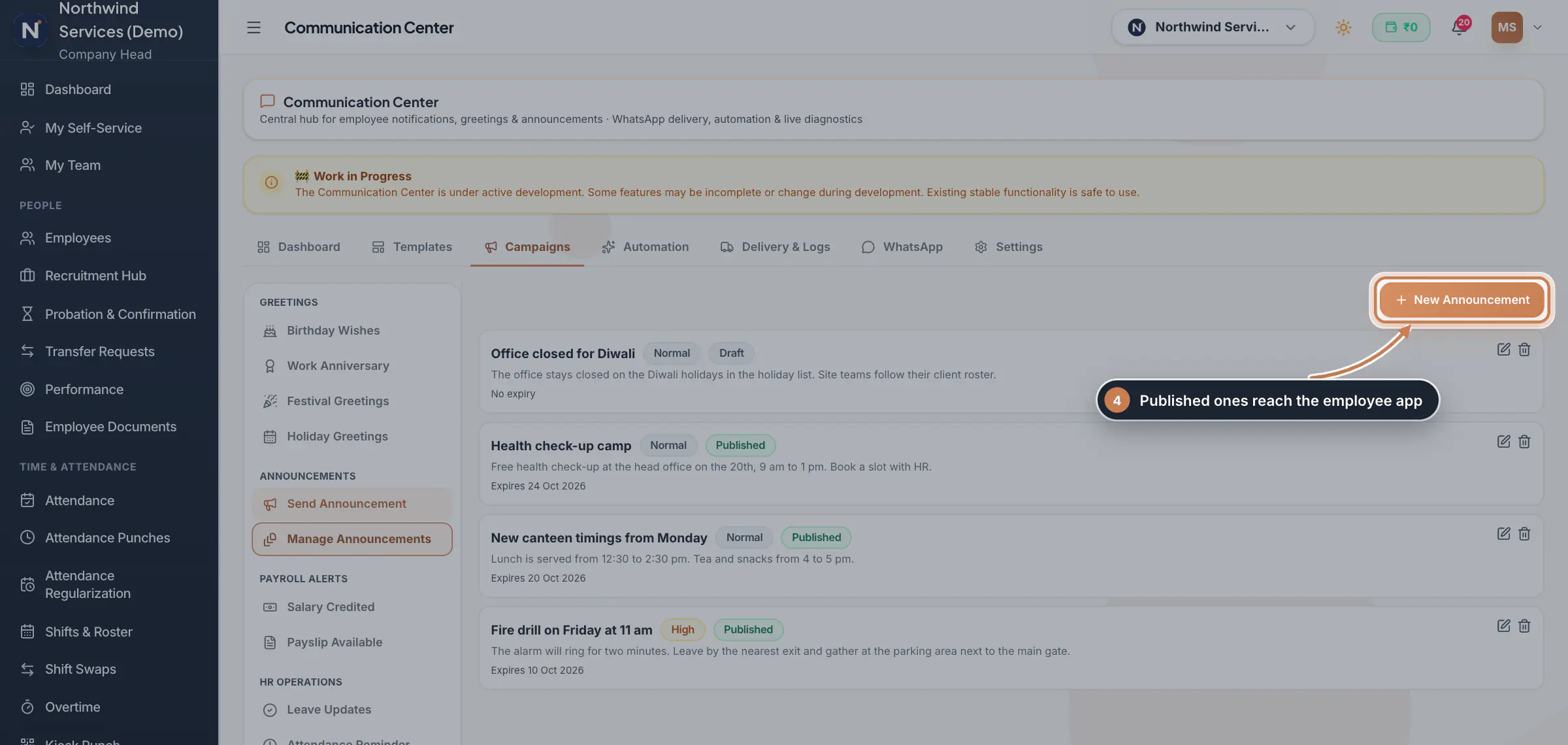 Full size
Step 4 Write an announcement
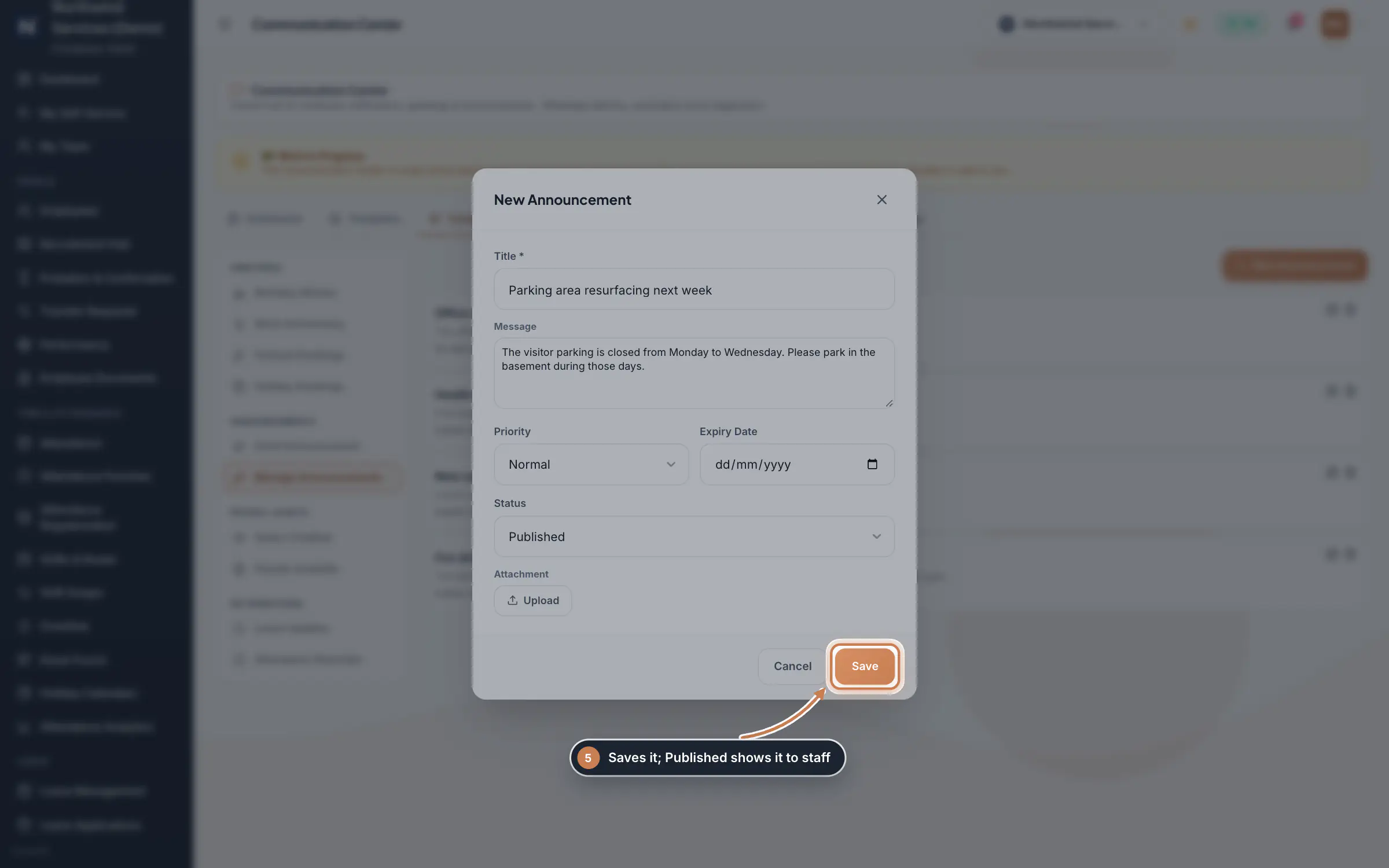
Click New Announcement. Type the Title and the Message, pick the Priority (Low, Normal, High or Urgent) and an Expiry Date, set the Status to Published or Draft, and attach a file if you like. Click Save. A published announcement reaches the bell and the employee app at once, under Me, Company notices.
 Full size
Admin panel · Step 5 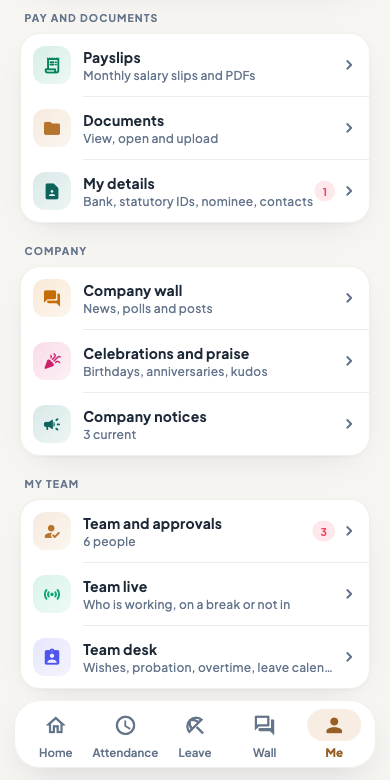 On the employee app
The employee app's Me tab, with Company notices
Connect WhatsApp safely
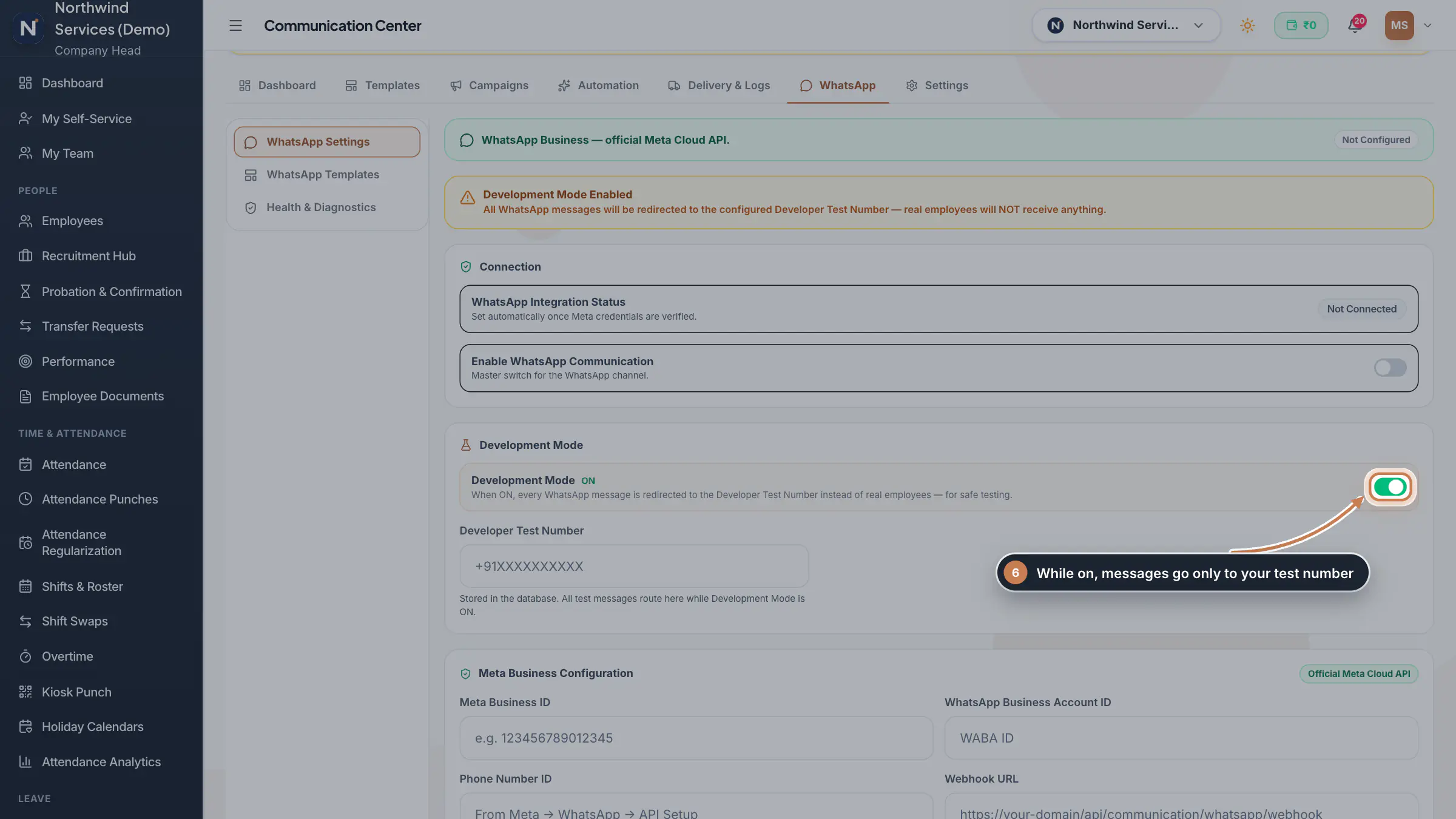
Click WhatsApp. WhatsApp Settings shows whether WhatsApp is connected, the Enable WhatsApp Communication switch, and Development Mode. While Development Mode is on, every message goes only to the Developer Test Number and real employees receive nothing, so you can test templates safely. Below it are your Meta business details: the business ID, WhatsApp Business account ID, phone number ID, webhook and access tokens. WhatsApp Templates and Health & Diagnostics help you check the connection.
 Full size
Step 6 Tip Keep Development Mode on until you have sent a test message to your own number and checked how it looks.
What it does
Communication Center is where HR prepares what the company says to its people. Templates holds greeting and notice designs, with a library of ready-made ones. Campaigns shows who has a birthday, a work anniversary or a festival greeting coming up, and keeps your announcements. Automation decides which template goes out for each event. Delivery & Logs shows what was sent, WhatsApp connects your WhatsApp Business number, and Settings keeps the holiday calendar. The module is marked Beta and shows a Work in Progress note while it is being finished.
Who uses it
- The Company Head and HR. It is in the Learning group of the sidebar.
- Employees see the published announcements in the employee app, under Me, Company notices.
How it connects
Messages go out on WhatsApp through your company's WhatsApp Business account. Until it is connected, nothing is sent to anyone; while Development Mode is on, every message goes only to your own test number. Published announcements show in the employee app and in the bell. The holiday calendar under Settings is the same list as Holiday Calendars, and the birthdays and anniversaries come from your employees' records, the same ones Celebrations shows.
Questions
Does the Communication Center send emails or SMS?
No. Messages go out on WhatsApp only. Announcements also reach the employee app and the bell.
Why did nobody receive the wishes?
Check WhatsApp: it must be connected and switched on, and Development Mode must be off for real employees to receive messages. Delivery & Logs shows what happened to each message.
Where do the holidays come from?
Settings, Holiday Calendar shows the same holiday list as Holiday Calendars. Adding a holiday in either place adds it to both.
Related
 The employee app for office staffA tour of the ZeniaHR app for HRMS Core staff: signing in, starting your shift, attendance, leave, the company wall and your profile.GuideApp
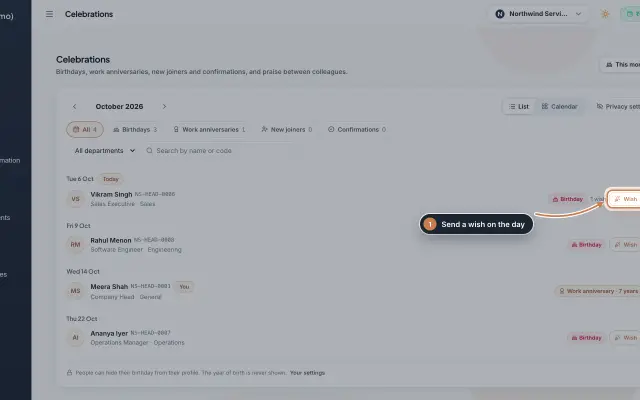 Celebrations moduleBirthdays, work anniversaries, new joiners and confirmations month by month, with wishes, birthday privacy, and praise between colleagues with a monthly leaderboard.Module
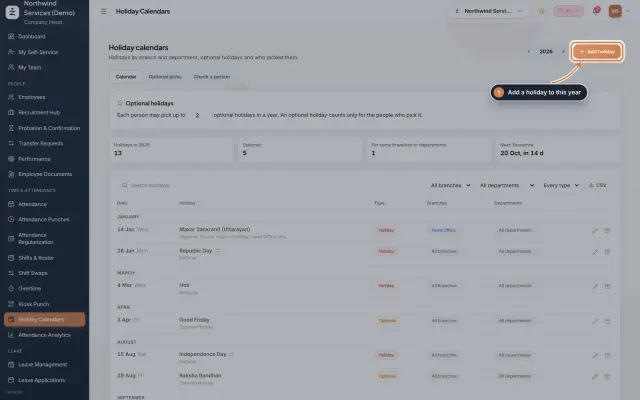 Holiday Calendars moduleKeep the year's holidays by branch and department, set optional holidays and how many each person may pick, and check which holidays a person gets.Module
 Notifications moduleDecide who hears about which event, on which channel and with which message, and switch live delivery of email and WhatsApp copies on when you are ready.Module
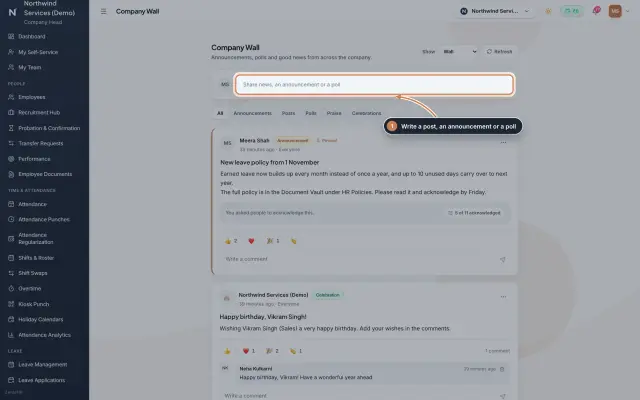 Company Wall moduleA feed for the whole company: announcements people acknowledge, posts, polls, praise and celebrations, with reactions and comments, on the web and in the employee app.Module
- Employee onboarding softwareSee how it works on the ZeniaHR website