Celebrations module
Birthdays, work anniversaries, new joiners and confirmations month by month, with wishes, birthday privacy, and praise between colleagues with a monthly leaderboard.
Key screens
See this month's celebrations
In the sidebar, open Workplace and click Celebrations. This month groups the month by day, with Today marked, and each person shows the occasion, such as Birthday or Work anniversary · 7 years. Use the arrows to change the month, the buttons to show one kind, or the department filter and search. In the app, the Celebrations card on the home screen shows who is celebrating today and next.
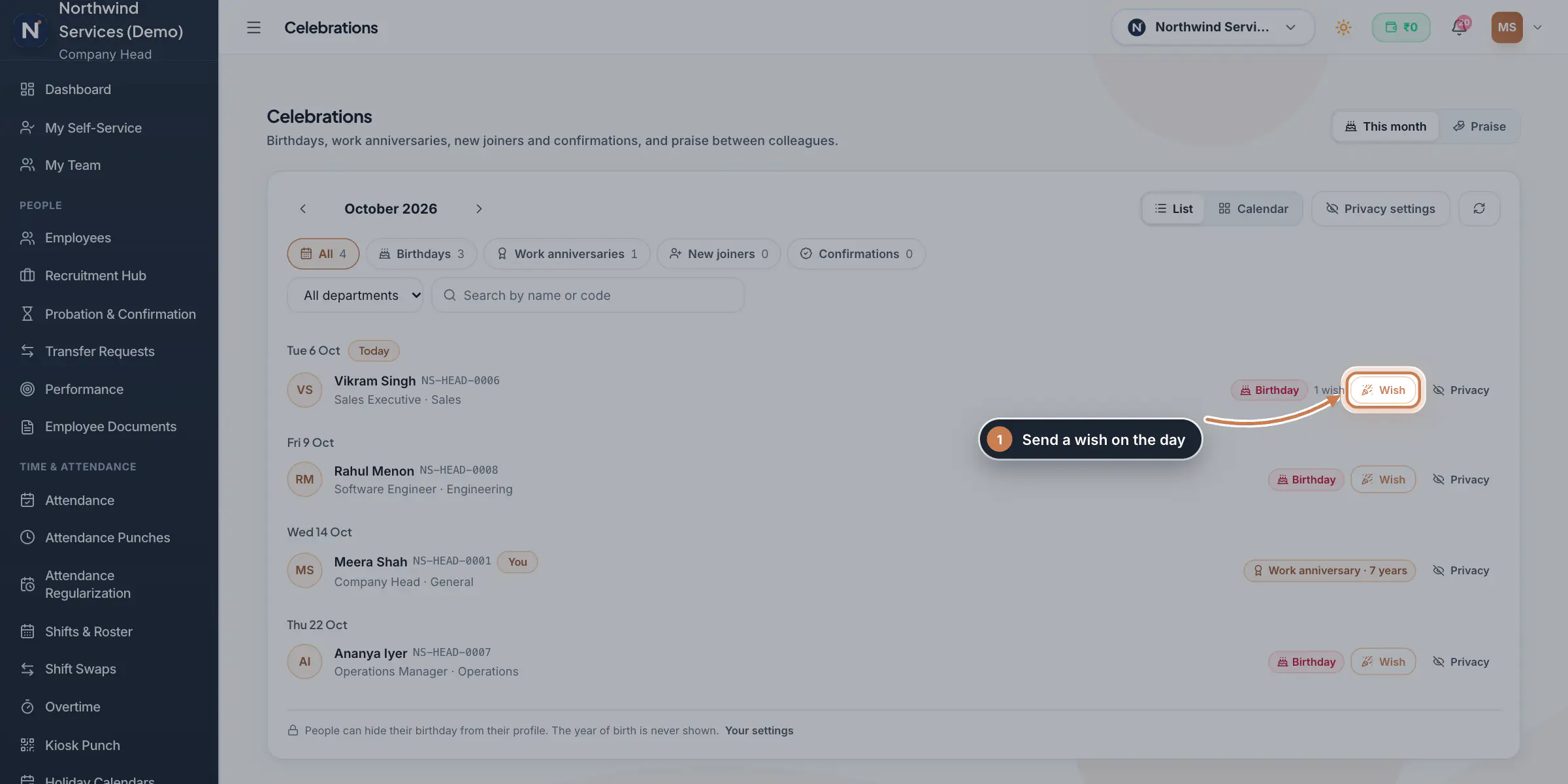 Full size
Admin panel · Step 1 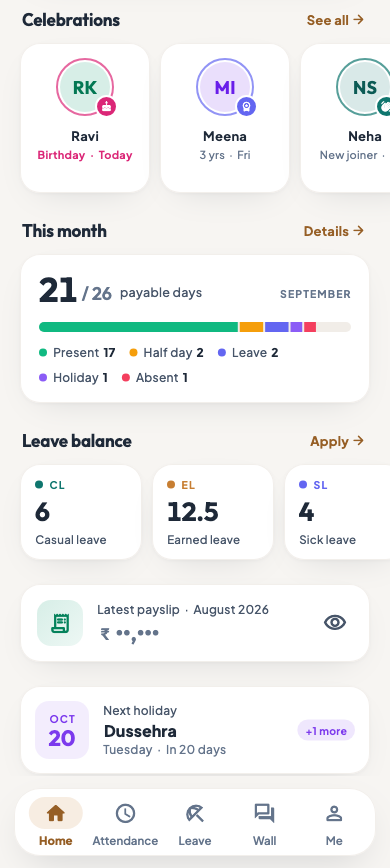 On the employee app
The Celebrations card on the employee app's home
Send a wish
Click Wish next to a person. Pick one of the suggested messages or write your own, then click Send wish. A wish for a day still to come is kept and posted on the day, as a comment on the company wall's celebration post; the person also gets a notification. The number next to Wish shows how many wishes they have.
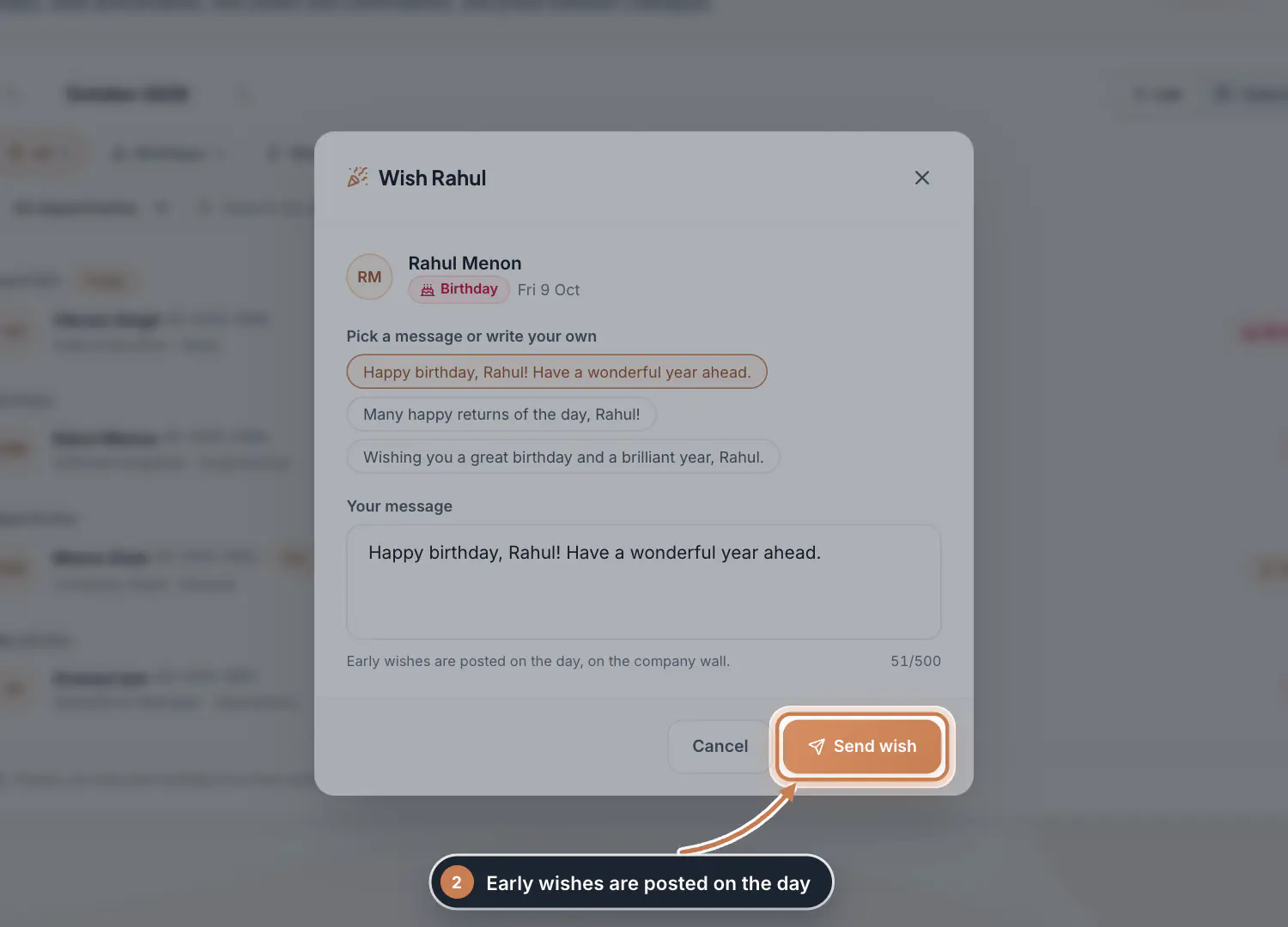 Full size
Step 2 See the month as a calendar
Click Calendar to see the whole month, with each person's name on their day. Click a day that has a celebration to list it below, and List to go back.
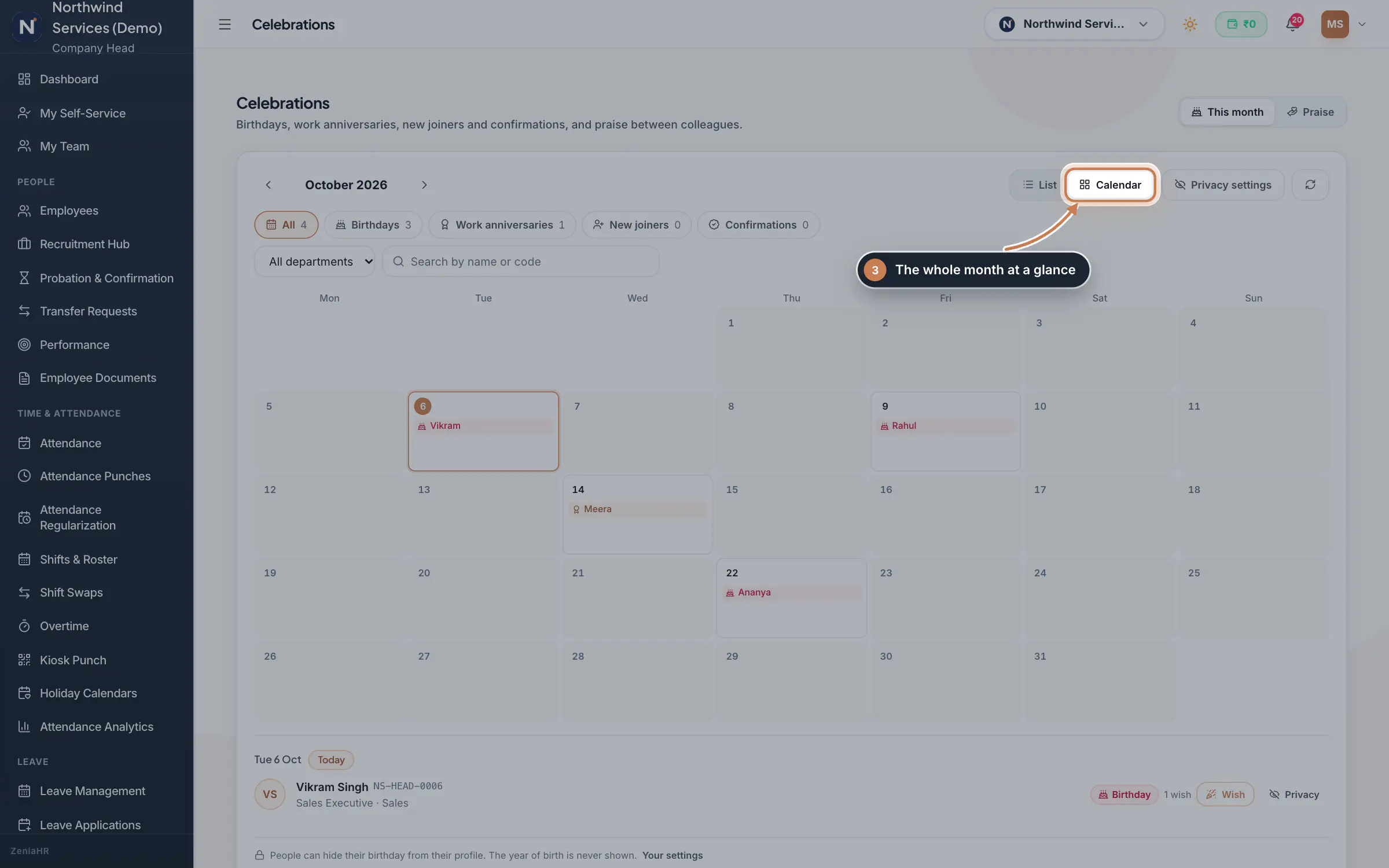 Full size
Step 3 Hide a birthday or an anniversary
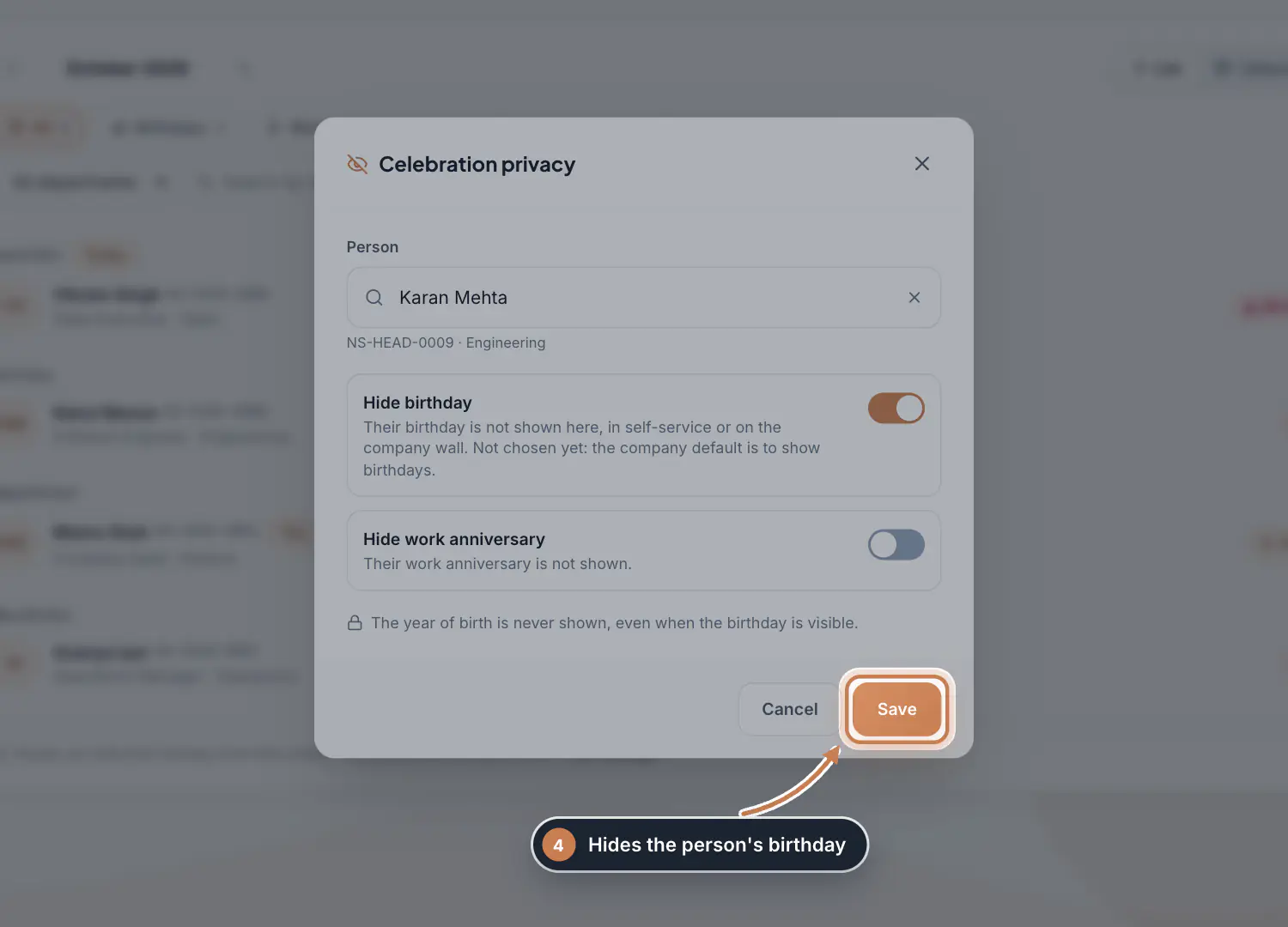
HR and the Company Head click Privacy settings, or Privacy on a row, and pick the person. Switch on Hide birthday or Hide work anniversary and click Save. A hidden birthday does not show here, in self-service or on the company wall. Employees can hide their own birthday with Your settings at the bottom of the list.
 Full size
Step 4 Give praise
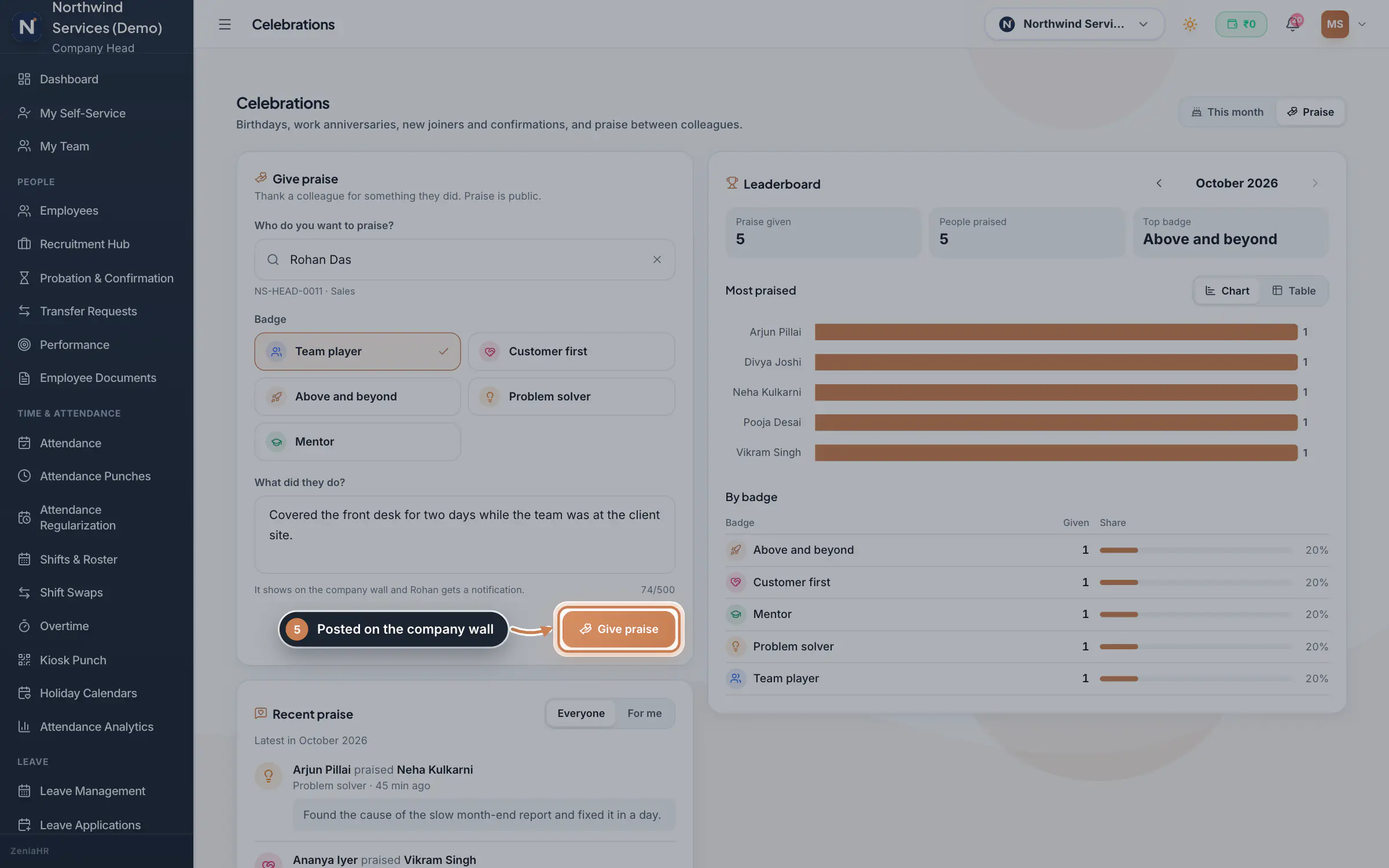
Click Praise. Under Give praise, choose the colleague, pick a Badge and say what they did, then click Give praise. The praise is posted on the company wall and the person gets a notification. Recent praise shows the latest, for Everyone or For me, and the Leaderboard shows the month's praise given, the people praised, the top badge, the most praised people as a chart or a table, and the count by badge.
 Full size
Step 5
What it does
Celebrations has two tabs. This month lists the month's birthdays, work anniversaries with the number of years, new joiners and confirmations, as a list or a calendar, and lets everyone send a wish. Praise lets colleagues thank each other with a badge, such as Team player or Problem solver, and shows the month's leaderboard. The year of birth is never shown.
Who uses it
- Everyone in an HRMS Core or Hybrid company sees the month, sends wishes and gives praise.
- HR and the Company Head can also hide a person's birthday or work anniversary. Each person can hide their own birthday.
How it connects
Every morning the Company Wall gets a post for the day's birthdays, work anniversaries and new joiners, and wishes are added to it as comments. Praise is posted on the wall too, and managers can also give praise from My Team. Birthdays come from the date of birth and anniversaries from the joining date on each employee's record, and confirmations from Probation & Confirmation. Whether birthdays show by default is set in Settings, Policies, Company wall and praise.
Questions
Is the year of birth ever shown?
No. Celebrations show the day and month only, even when the birthday is visible.
Why is someone's birthday missing?
Their date of birth is not on their employee record, or their birthday is hidden. Add the date of birth in Employees, or check their privacy settings.
Can I praise myself?
No. Praise is always for a colleague.
Related
 The employee app for office staffA tour of the ZeniaHR app for HRMS Core staff: signing in, starting your shift, attendance, leave, the company wall and your profile.GuideApp
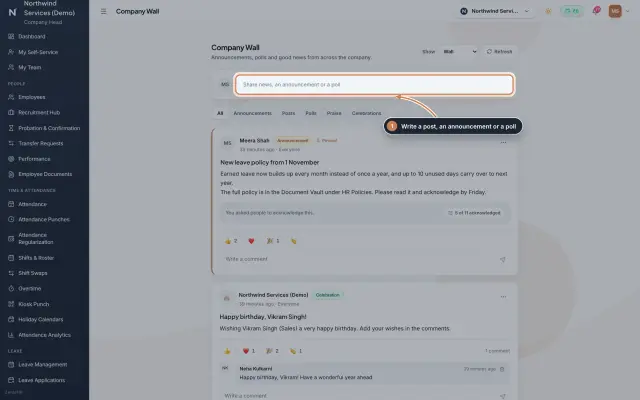 Company Wall moduleA feed for the whole company: announcements people acknowledge, posts, polls, praise and celebrations, with reactions and comments, on the web and in the employee app.Module
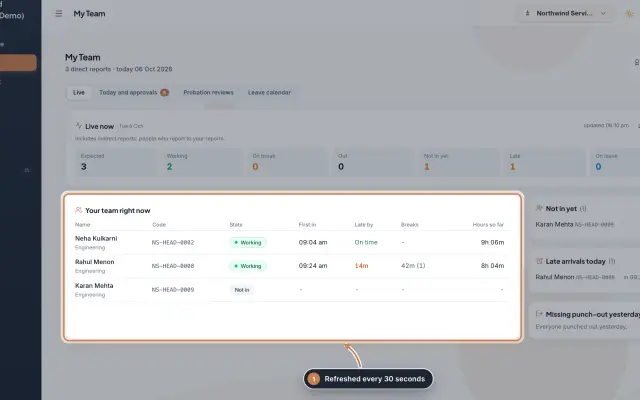 My Team moduleA manager's page for the people who report to them: who is working right now, the requests waiting on them, probation reviews, the team's leave and praise.Module
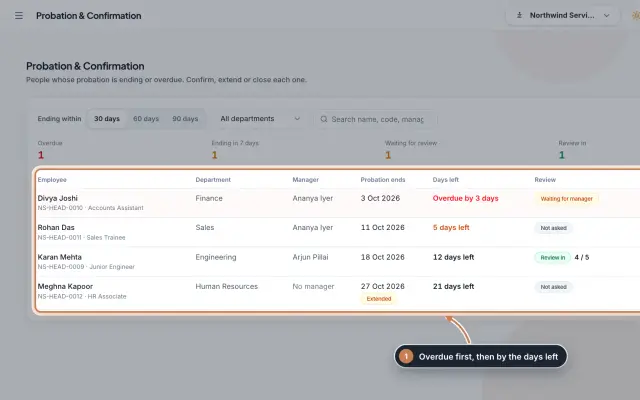 Probation & Confirmation moduleEveryone whose probation is ending or overdue in one queue; confirm with a letter, extend with a reason, record a not confirmed outcome or ask the manager for a review.Module
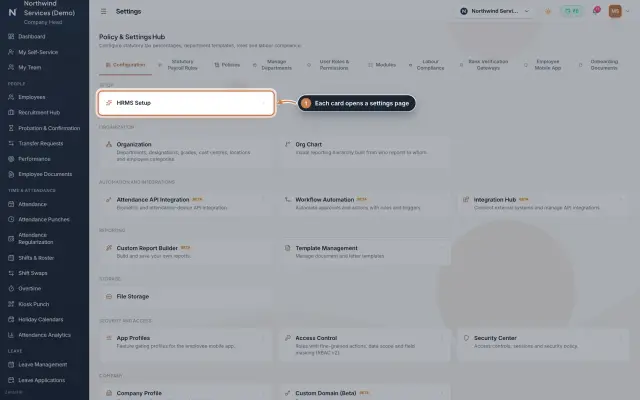 Settings moduleThe Policy & Settings Hub: a card for every settings page, and tabs for statutory rules, policies, departments, user permissions, modules, labour compliance, bank verification, the employee app and onboarding documents.Module
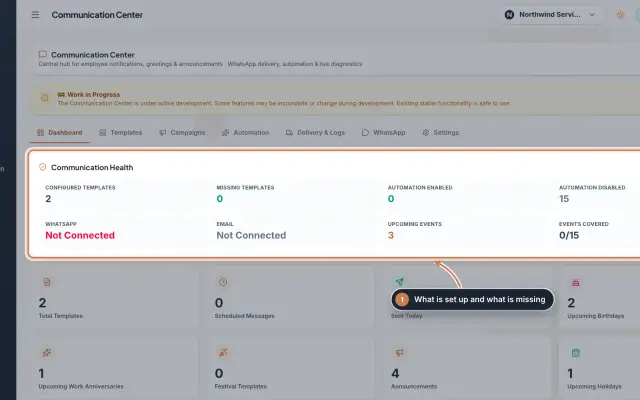 Communication Center module (Beta)Greeting and notice templates, birthday and anniversary wishes, announcements for the employee app and WhatsApp delivery with a safe test mode, in one place.Module
- Employee onboarding softwareSee how it works on the ZeniaHR website