HRMS Setup module
The first-run wizard of an HRMS Core company: company basics and the employee code format, the organization lists, leave, roles and access, and a final check.
Key screens
Company basics
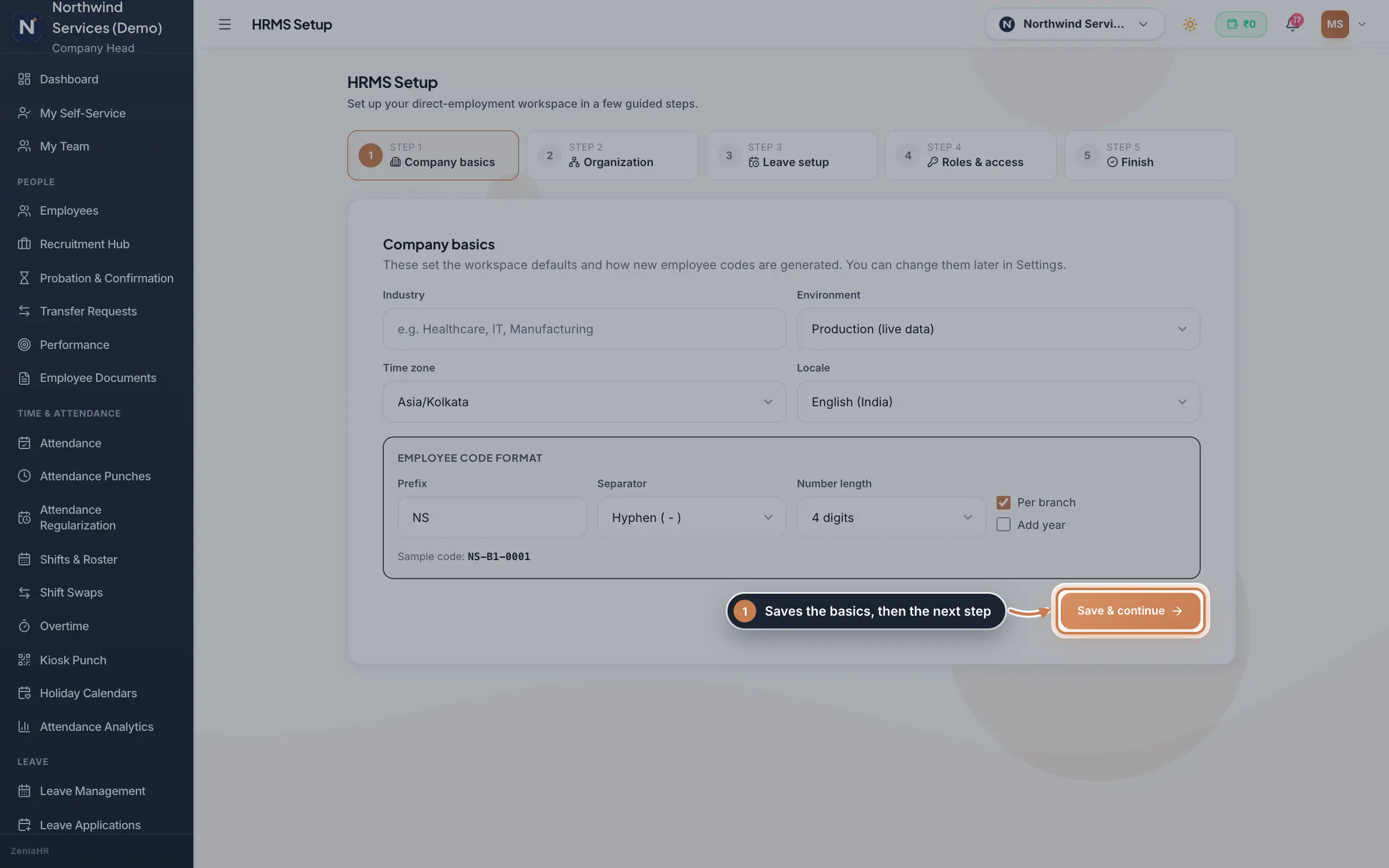
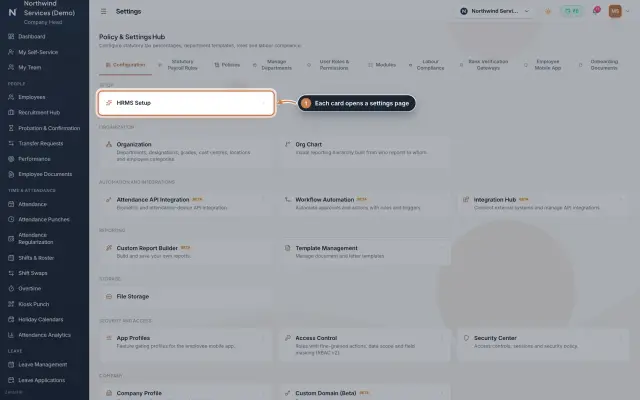
Open Settings and, under Setup, click HRMS Setup. Enter the Industry, and choose the Environment (Production, Trial or Demo), Time zone and Locale. Under Employee code format, set the Prefix, Separator and Number length, and whether numbering runs Per branch and adds the year; the Sample code shows the result. Click Save & continue.
 Full size
Step 1 Organization
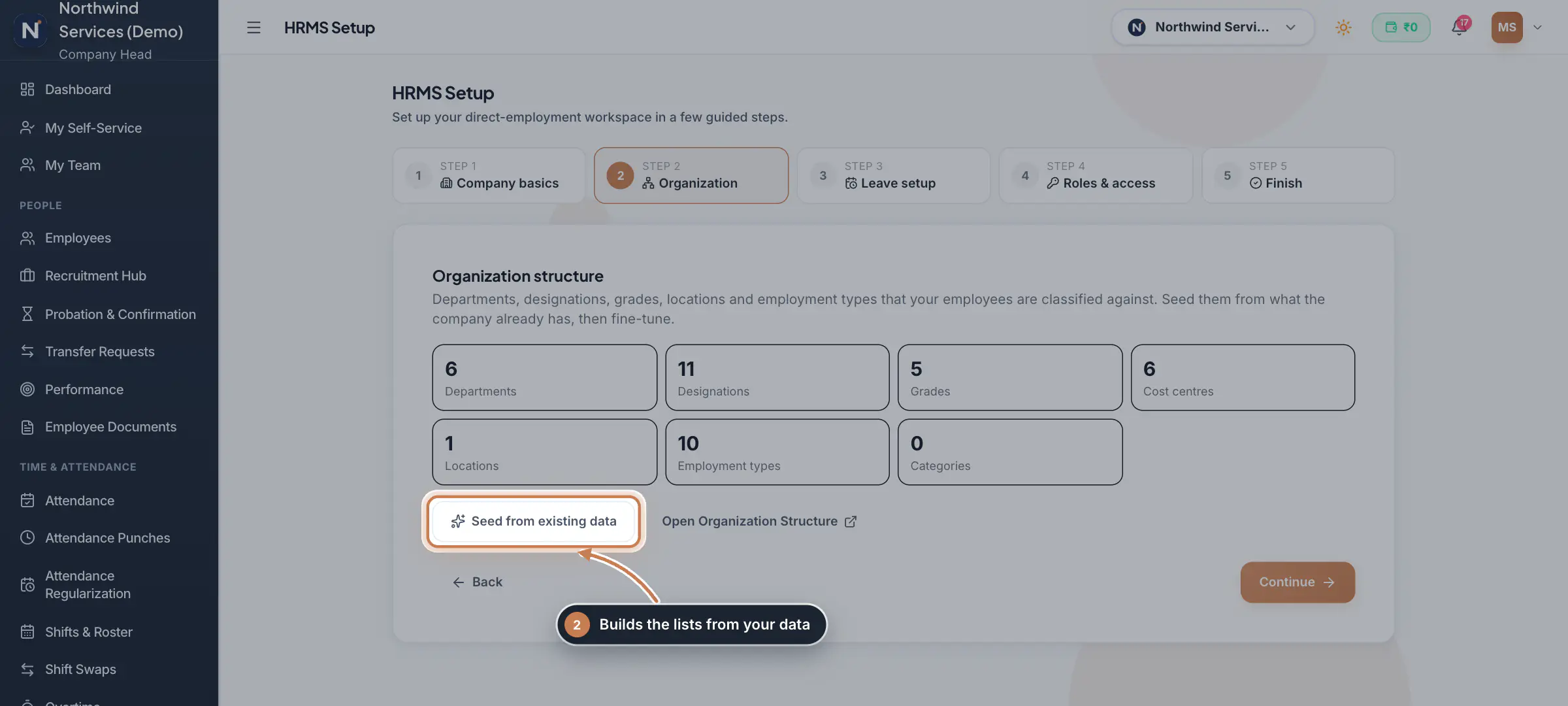
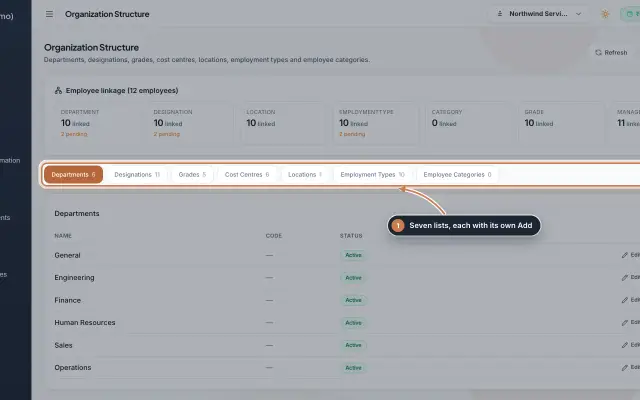
The step counts the entries in each list: departments, designations, grades, cost centres, locations, employment types and categories. Click Seed from existing data to build them from what the company already has; existing entries are left alone. Open Organization Structure opens the lists to fine-tune them. Click Continue.
 Full size
Step 2 Leave setup
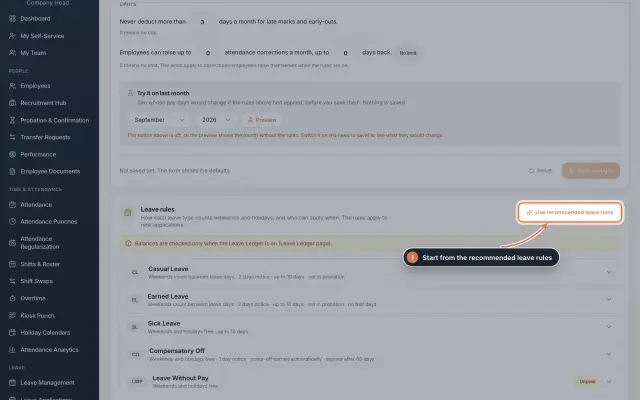
This step is about the leave types people apply against. Set them under Settings, Policies, Leave rules, where Use recommended leave rules creates the usual types in one go (see Leave basics). Open Leave Applications shows the applications desk. Click Continue.
Roles & access
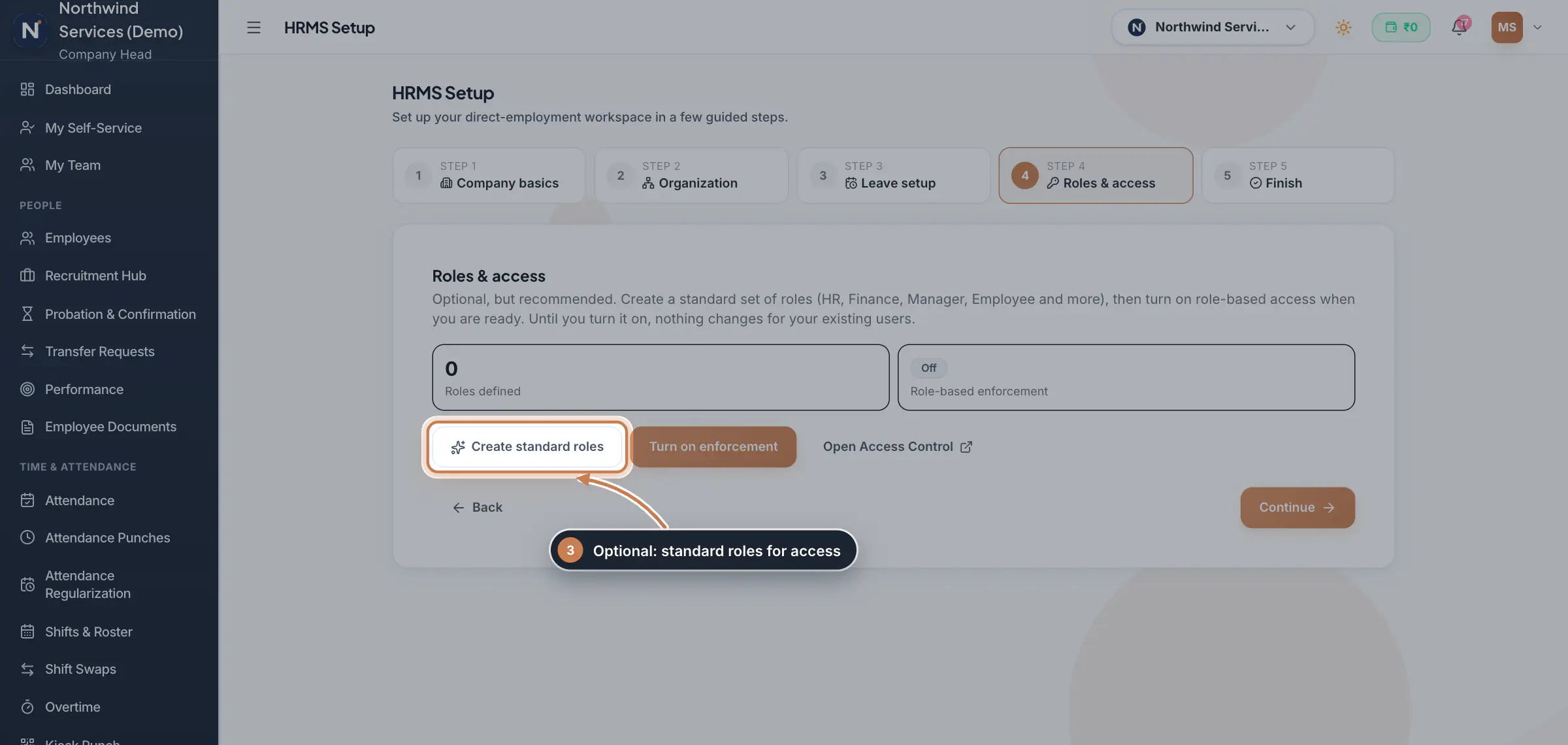
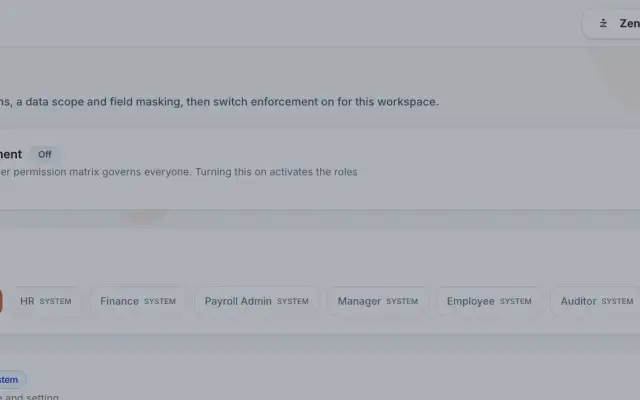
Roles are optional but recommended. Create standard roles adds HR, Finance, Manager, Employee and the other standard roles, and Turn on enforcement makes them govern access; until you turn it on, nothing changes for your existing users. Open Access Control opens the roles in full. Click Continue.
 Full size
Step 4 Finish
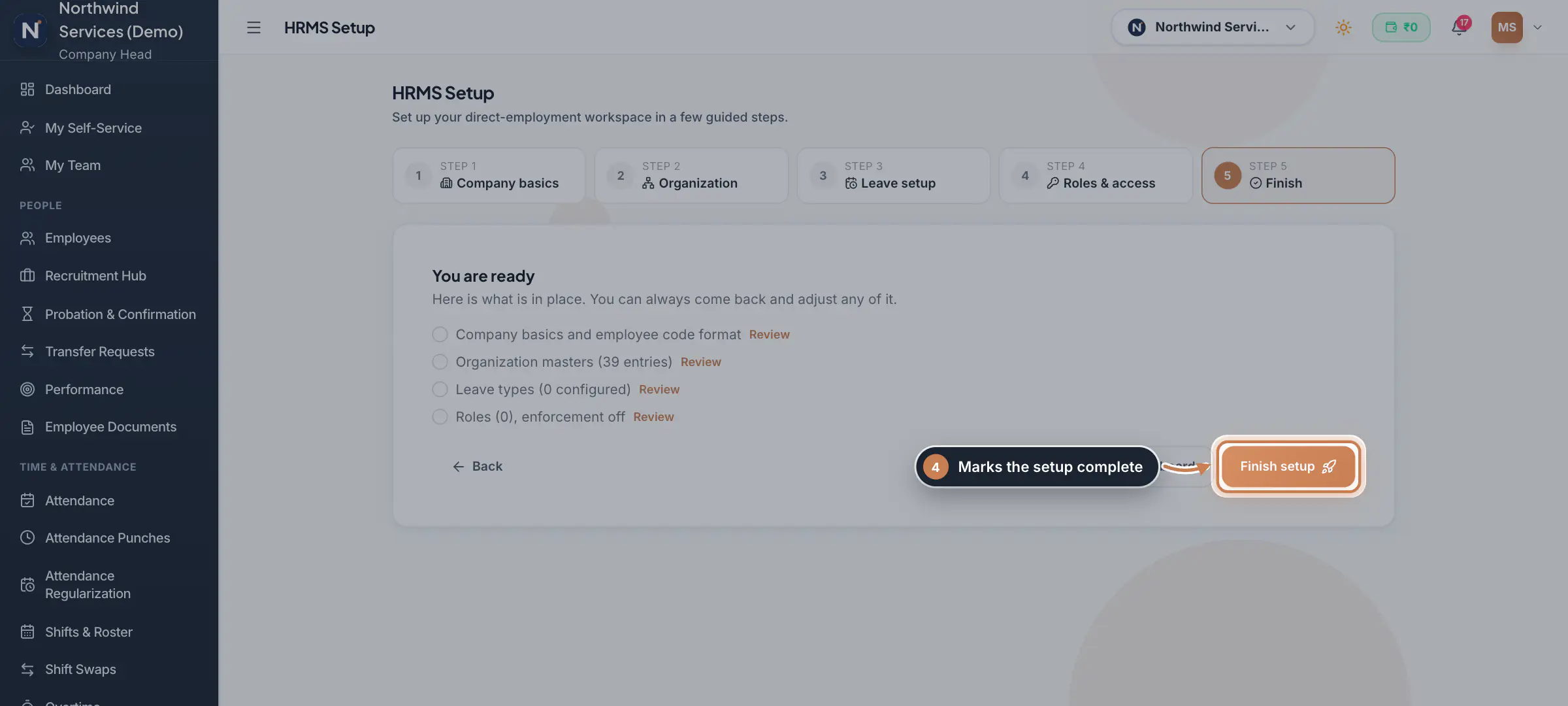
You are ready lists what is in place: the company basics, the organization lists, the leave types and the roles. Review next to a line opens that step again. Click Finish setup to mark the setup complete; you can still come back and change any step.
 Full size
Step 5
What it does
HRMS Setup walks a new HRMS Core or Hybrid company through the minimum it needs before people start using ZeniaHR, in five steps: Company basics, Organization, Leave setup, Roles & access and Finish. Each step is saved as you go, so you can leave and come back; nothing in it deletes data, and every step can be revisited after setup is complete.
Who uses it
- The Company Head, and HR with the Settings edit permission, right after the company is created. It is in Settings, under Setup.
How it connects
The organization step fills the lists under Organization that every employee is linked to. The roles step creates the standard roles of Access Control and can switch them on. The leave rules themselves are kept under Settings, Policies, Leave rules.
Questions
Can I run the wizard again?
Yes. Open HRMS Setup again at any time; each step shows what is saved, and Finish setup becomes Update setup.
Why is HRMS Setup missing for my company?
It is for HRMS Core and Hybrid companies only, so a Manpower company does not see it.
Related
 Register your companyCreate a free ZeniaHR workspace for your company in four short steps, verify your email and sign in for the first time.Guide29 s video
 Leave: rules, applications and approvalsSet up your leave types and their rules, apply for leave on an employee's behalf with a live check of the days, and approve or reject applications.Guide
 Organization moduleKeep the company's lists of departments, designations, grades, cost centres, locations, employment types and employee categories, and link each employee to them.Module
 Access Control moduleDefine roles with eight actions per module, a data scope and field masking, grant client and site access to people, and switch role-based enforcement on when you are ready.Module
 Settings moduleThe Policy & Settings Hub: a card for every settings page, and tabs for statutory rules, policies, departments, user permissions, modules, labour compliance, bank verification, the employee app and onboarding documents.Module
- ZeniaHR for every businessSee how it works on the ZeniaHR website