Site Console module
Today's headcount at every client site, the muster of each site, and a one-click request to HR when someone is absent.
Key screens
See every site today
In the sidebar, click Site Console. Each card shows the site, the client and address, and the Required, Present, Absent and Deployed counts. A red Short by badge means fewer people are present than the site needs; Full means it is covered. Supervisors see the same sites in the app, on the home screen under My sites.
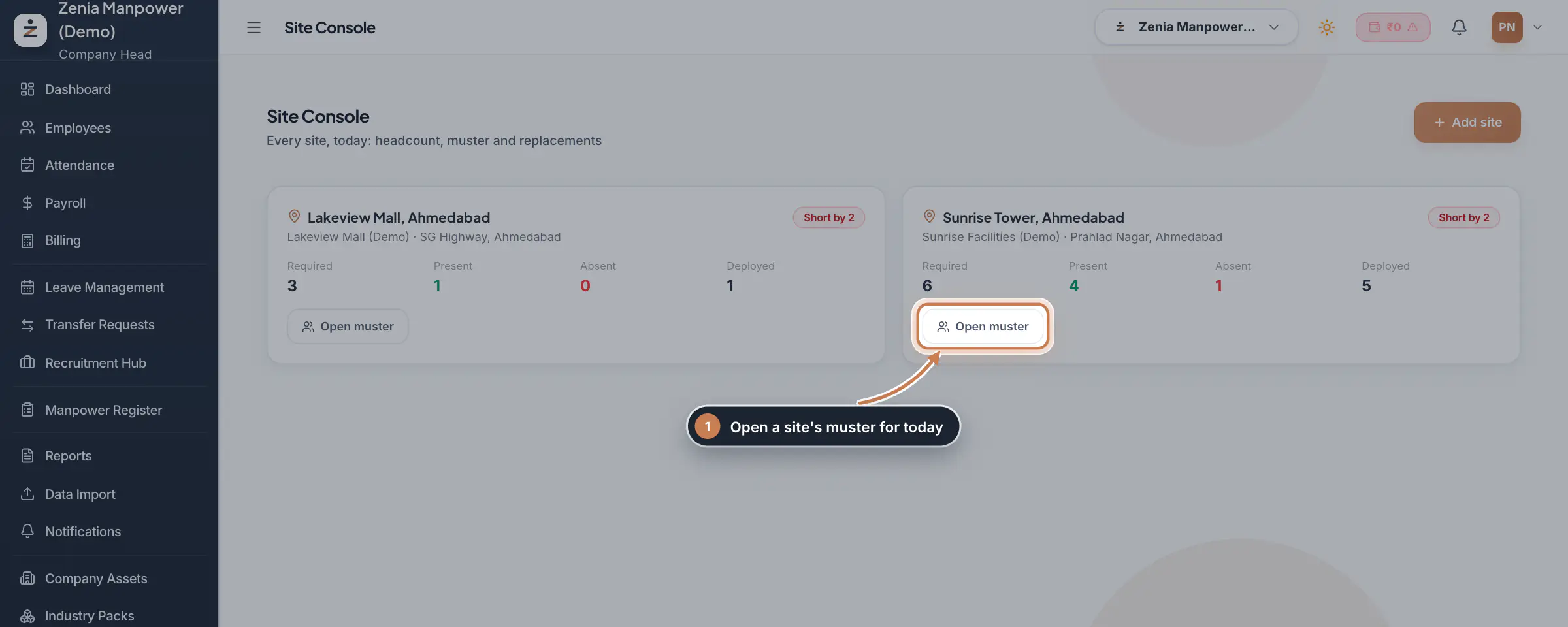 Full size
Admin panel · Step 1 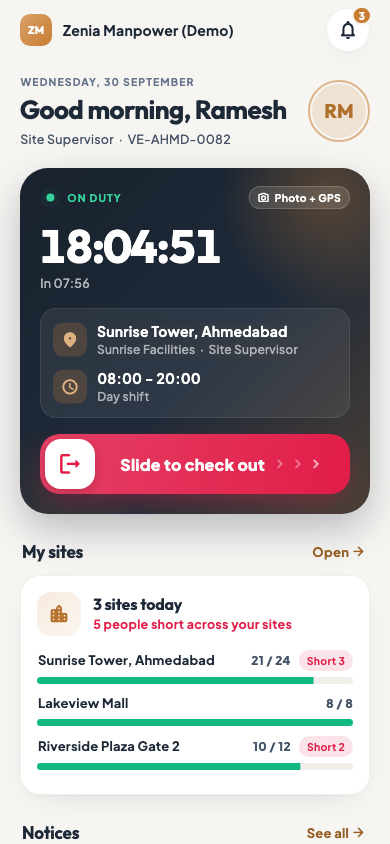 On the employee app
A supervisor's sites on the employee app home screen
Check the muster and ask for a replacement
Click Open muster on a site. The list shows each worker, their role at the site, the time they came in and their status: present, half day, on leave, week off or absent. For an absent worker, click Replace and confirm. The request goes to HR, and your requests are listed under Replacement requests.
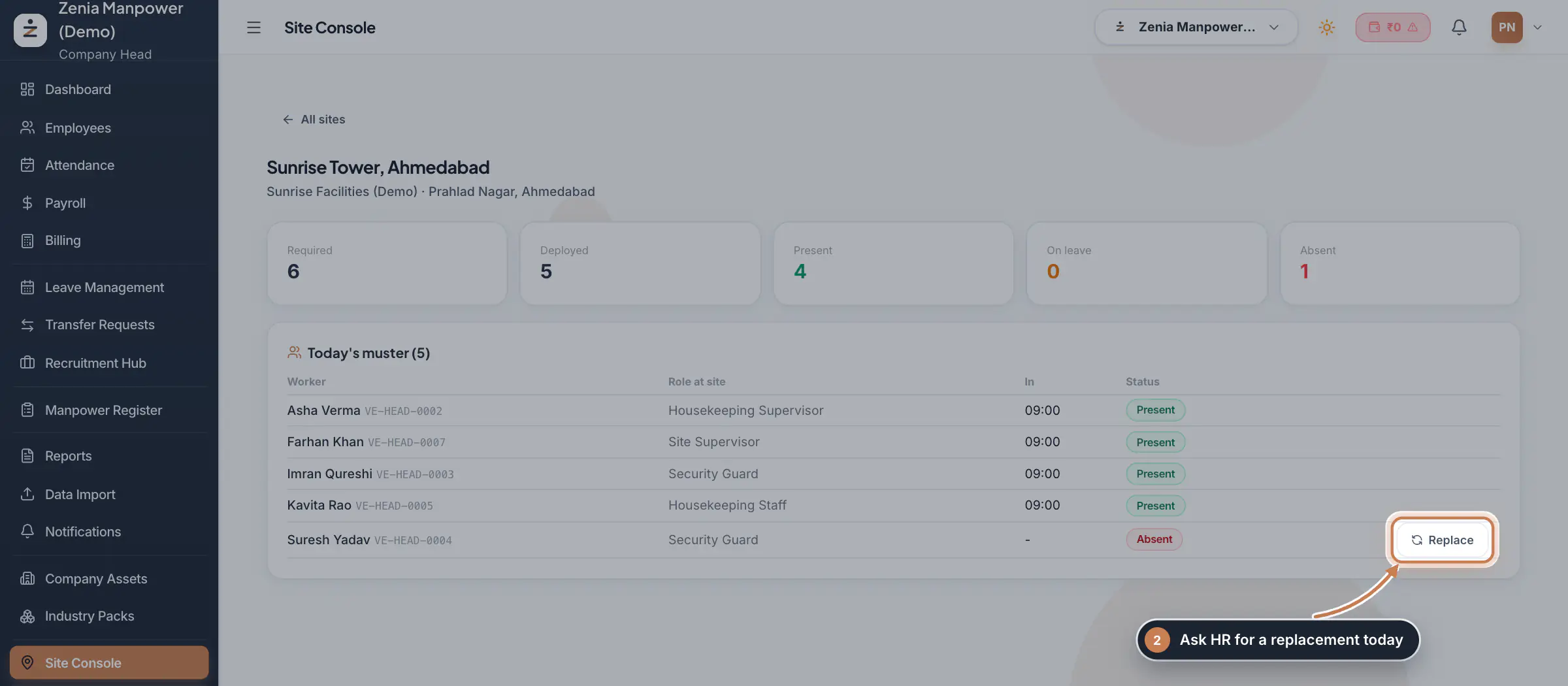 Full size
Step 2 Tip In the app, a supervisor taps a site, then Cover next to the absent worker, to send the same request.
Add a site
Click Add site. Pick the Contract, then enter the Site name, Site address, Site supervisor and Required headcount. The supervisor named here sees the site in their own Site Console. Deploy workers to the site from Contract Management, under Deployment.
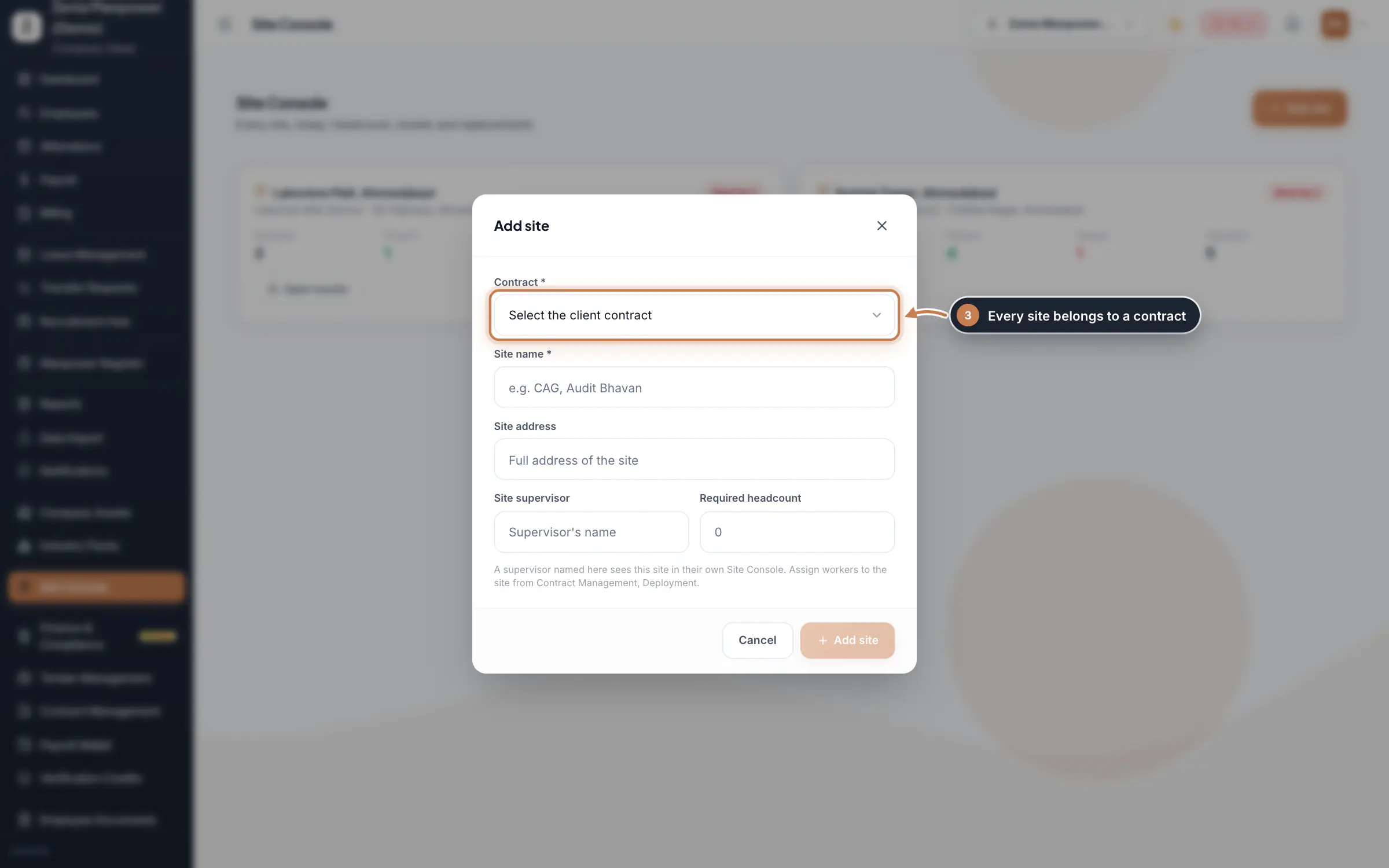 Full size
Step 3
What it does
Site Console shows every client site for today: how many people the site needs, how many are deployed, present and absent, and how many it is short. Open a site to see its muster, the list of deployed workers with their check-in time and status, and ask HR for a replacement for anyone who is absent.
Who uses it
- Company Head and HR see every site of the company.
- A field supervisor sees only the sites where they are named as the site supervisor, or that they have been given access to, on the web and in the employee app.
- Only the Company Head can add a site from here.
How it connects
Sites and the staff deployed to them come from Contract Management. Present and absent come from the day's attendance, so a worker with no attendance for today counts as absent. A replacement request goes to HR as an approval, so the gap can be filled the same day.
Questions
Why does a site show as short when everyone came to work?
The site counts only people whose attendance for today is marked present. Check that today's attendance has been marked or synced for the site's workers.
Can a supervisor see sites they do not manage?
No. A supervisor sees only the sites where they are named as the site supervisor, or that they have been given access to.
Related
 The employee app for site staffA tour of the ZeniaHR app for manpower staff at client sites: signing in, checking in for duty, your days, wage slips, leave and your profile.GuideApp
 Contract Management moduleKeep every client contract with its sites and the staff deployed to each site, and renew contracts before they end.Module
 App check-ins and check-in spotsSee the live photo, GPS and time behind every check-in made from the employee app, and set the spots where staff may check in.Module
 Employees moduleThe staff directory, where you add people, open an employee profile and approve new joiners.Module
 Transfer Requests moduleSite staff ask in the app to move to another site; HR reads the reason and approves or rejects, and an approval moves the person.Module
- Client billing for manpower firmsSee how it works on the ZeniaHR website